
About the App
App Preview & Screenshots
Description
Swipe Photo Cleaner (Wipe AI) — The Ultimate Gallery Organizer & Storage Saver
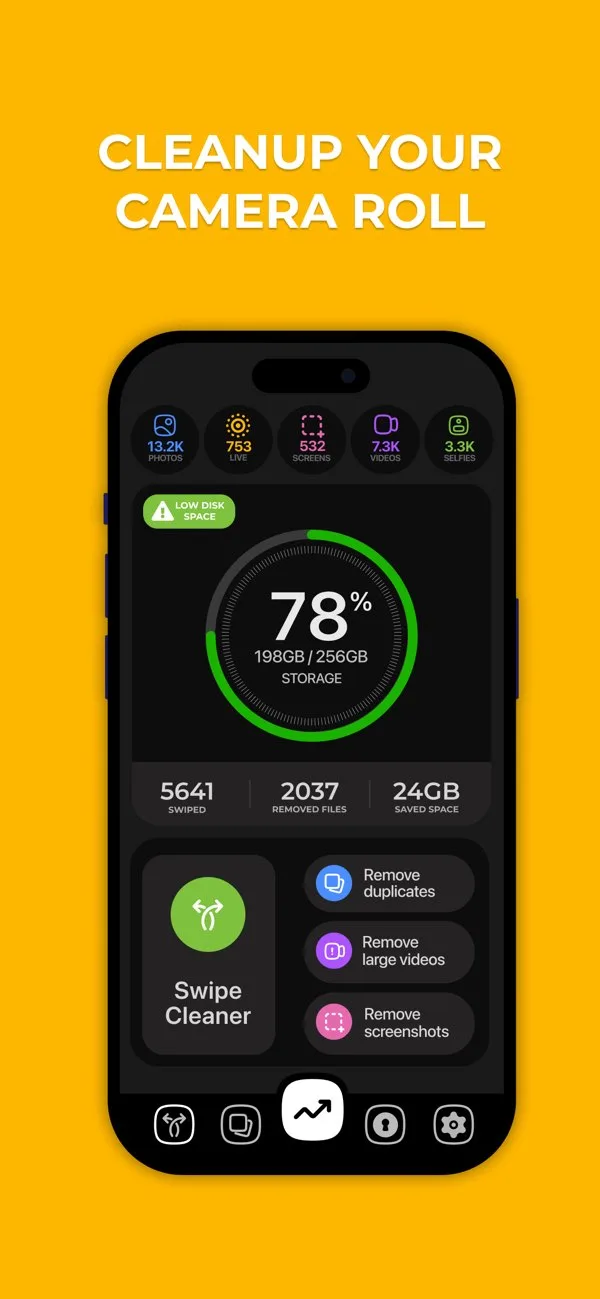
Is your iPhone storage full? Are you tired of receiving frustrating "iCloud Storage is Full" warnings? If you have thousands of duplicate photos, accidental burst shots, blurry pictures, old screenshots, and massive video files eating up your device's memory, Swipe Photo Cleaner is the exact utility you need to declutter your camera roll in minutes.
Unlike traditional photo cleaner apps that force you to dig through endless confusing menus and manually select tiny thumbnails, Swipe Photo Cleaner turns photo organization into a fast, highly satisfying, and intuitive experience.
1. Intuitive Swipe-to-Clean Interface
Cleaning your gallery should not feel like a chore. We brought the familiar and addictive swipe mechanics to photo organization:
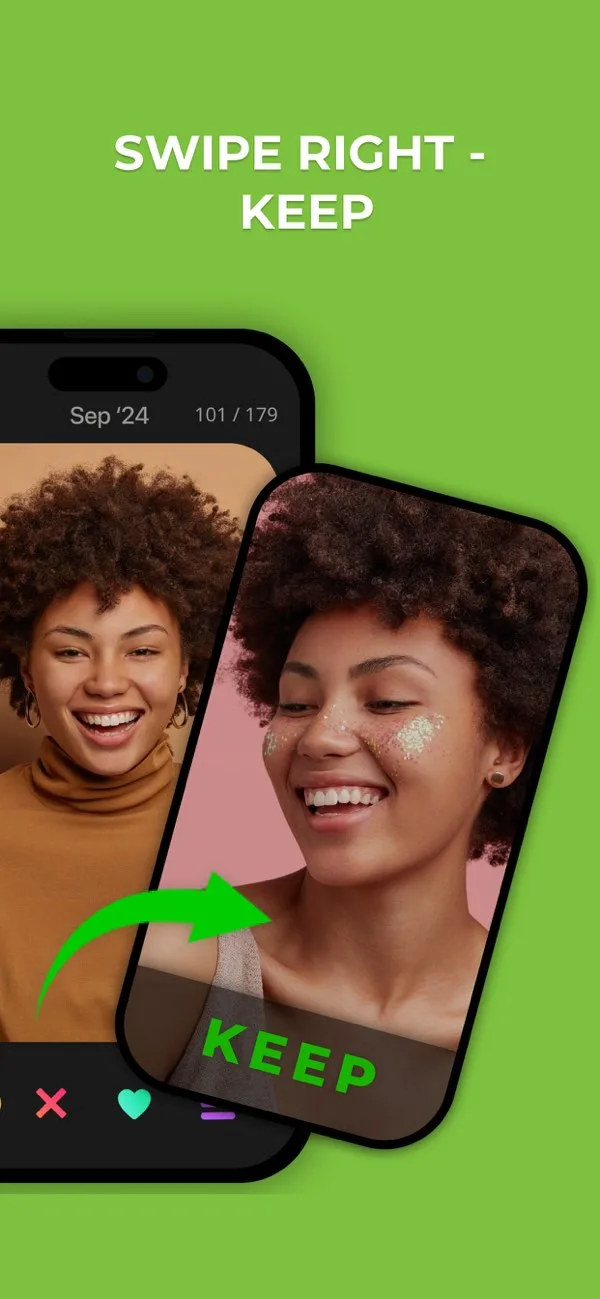
- Swipe Right to Keep: Save your best memories instantly.
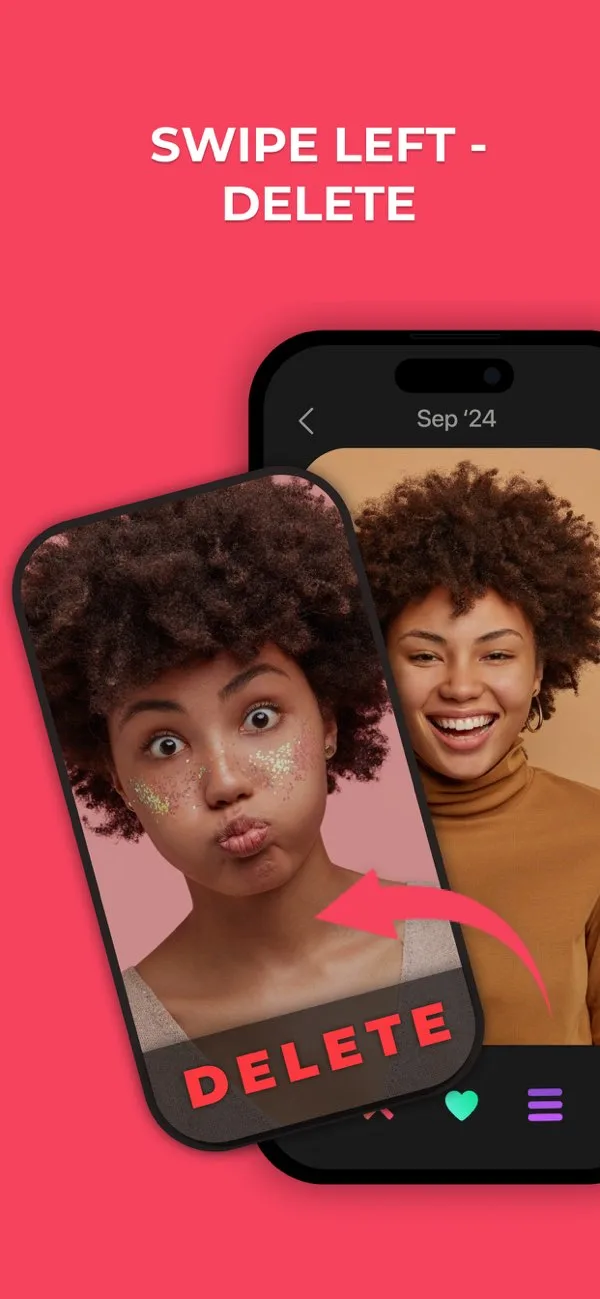
- Swipe Left to Trash: Discard blurry, unwanted, or accidental photos directly into the deletion bin.
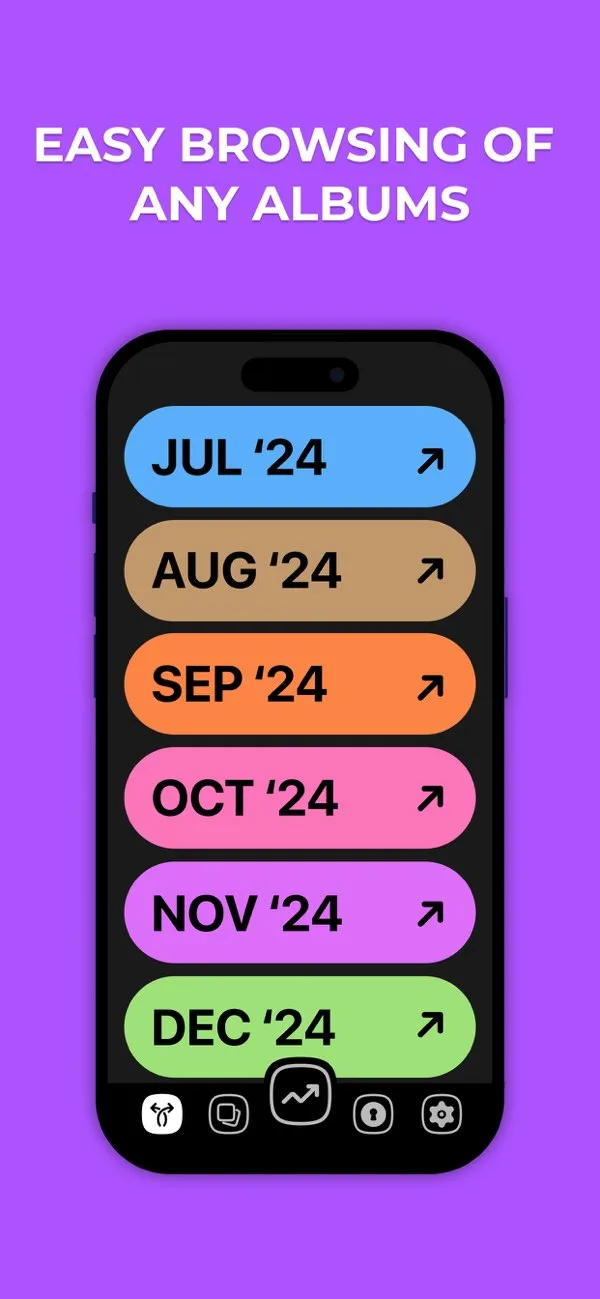
- Month-by-Month Review: Instead of tackling 20,000 photos at once, the app organizes your gallery into digestible monthly batches, allowing you to organize memories without feeling overwhelmed.
2. Smart AI Duplicate & Similar Photo Detector
Finding identical photos manually is nearly impossible. Our advanced on-device Artificial Intelligence does the heavy lifting for you:
- Identical Duplicate Removal: Instantly locate and delete exact copies of photos saving precious gigabytes of data.
- Similar Burst Shot Grouping: Did you take 15 photos of the same sunset? The AI analyzes burst series and automatically highlights the sharpest, highest-quality photo while suggesting the rest for deletion.
- Blurry Image Detection: The neural engine scans your library for out-of-focus and blurry images that are wasting space.
3. Powerful Video Compression Engine
Photos are small, but 4K and 1080p videos consume massive amounts of storage space.
- Lossless Video Compression: Reduce the file size of massive video recordings by up to 80% while preserving crisp visual quality for playback.
- Large File Finder: Instantly sort your gallery by file size to identify and delete the largest videos hogging your storage.
4. Screenshot & Clutter Organizer
Over time, our phones become filled with temporary screenshots that we no longer need.
- Quick Isolate: The app automatically separates screenshots, internet memes, old receipts, and screen recordings into a dedicated folder.
- One-Tap Wipe: Review and delete hundreds of outdated screenshots in seconds.
5. Final Review Safety Net
We understand the anxiety of accidentally deleting a cherished memory.
- Confirmation Screen: At the end of every swipe session, you are presented with a summary screen of all the photos you selected for deletion.
- Secure Recovery: Nothing is permanently deleted until you hit confirm, ensuring you have absolute control over your camera roll.
6. 100% Private & On-Device Processing
Your personal photos and videos are your most private data, and we treat them as such.
- Zero Cloud Uploads: All photo processing, similarity analysis, and duplicate detection happen entirely locally on your device's hardware.
- Ultimate Privacy: Your personal photos, videos, and metadata are never uploaded to, scanned by, or stored on any external servers.
Free up gigabytes of precious storage space, organize your chaotic camera roll, and keep your memories perfectly curated with Swipe Photo Cleaner!
Key Features
- Intuitive swipe-to-clean interface to quickly keep or trash photos.
- Smart duplicate and similar photo detector to save storage space.
- Compress large videos and media without losing visual quality.
- Screenshot and clutter organizer for rapid cleanup.
- 100% on-device privacy — photos are never uploaded to external servers.
What's New
- Enhanced AI engine for better duplicate photo detection
- Improved video compression speed on newer devices
- UI improvements to the month-by-month swipe view
- Bug fixes and performance stability
Official Resources & Links
- Official Website:https://swipephotocleaner.com
- Google Play:Swipe Photo Cleaner on Google Play Store
- YouTube Channel:https://www.youtube.com/@SwipePhotoCleaner-ai
Verified App Store Reviews
Authentic feedback from real iOS users worldwide
Tinder for photos — actually makes camera roll cleaning fun
"I had 22,000 photos dating back to 2019. The swipe right to keep, swipe left to trash mechanic is pure genius. I knock out one month per evening while watching Netflix. Cleared over 25GB already!"
The month-by-month review mode is brilliant
"Instead of feeling overwhelmed by a massive library, Wipe AI breaks it down into bite-sized monthly folders. The on-device duplicate detection accurately tags blurry shots and burst photos."
Zero regrets, so intuitive!
"Love the safety review step at the end of each session where you can double-check everything before permanently moving items to trash. Essential utility for every iPhone owner."
Frequently Asked Questions



Guides & Tutorials for Swipe Photo Cleaner
View all 21 guidesHow to Clean WhatsApp Photos & Videos on Android: Stop Group Chat Storage Bloat
Digital Danshari: How the Japanese Art of Decluttering Can Clean 20,000 iPhone Photos with Swipes (2026)
Digital Photo Hoarding Is Real: The Psychology Behind Why You Can't Delete Blurry Sunset #47
Google Photos Storage Full? 7 Ways to Free Up Space on Android Without Paying for Google One
Benchmarks & Interactive Tools for Swipe Photo Cleaner
Swipe Photo Cleaner vs Google Photos
Why local swipe-based photo decluttering reclaims 3x more gigabytes than passive cloud storage.
Photo Clutter & Storage Savings Calculator
Estimate recoverable local gigabytes from duplicate bursts, screenshots, and avoid iCloud tier upgrades.
Privacy & Terms of Service
FlashSoft ensures end-to-end data security and compliance for Swipe Photo Cleaner.