
About the App
App Preview & Screenshots
Description
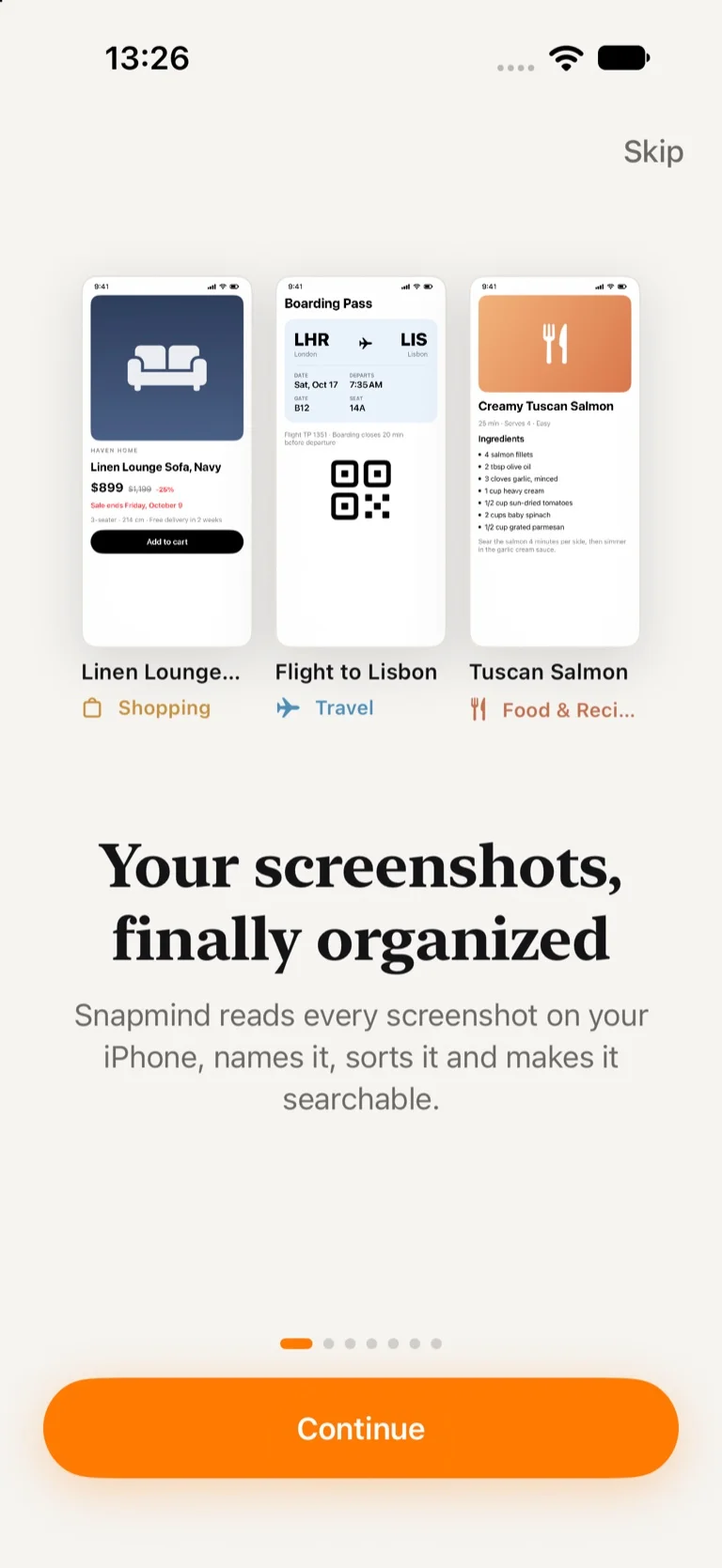
Snapmind turns the screenshots in your camera roll into a library you can actually use. It reads every screenshot on your iPhone, gives it a real title, sorts it onto the right board, and finds it again when you describe it in your own words.
About the App
You take screenshots to deal with later: a recipe, a boarding pass, a sofa on sale, an address someone sent in a chat, a quote from an article. A week later they are buried among thousands of photos and you never see them again. Snapmind is an AI screenshot organizer that fixes this without any manual work.
New screenshots appear in Snapmind on their own. The app recognizes the text on them, works out what each one is about and files it under one of 14 smart categories, from shopping and recipes to travel, tickets, receipts and work. You can save links, images and text from any app with the Share button too, so Snapmind becomes a second brain for everything you want to come back to.
Organized Automatically
- Screenshots are imported from Photos automatically; Photos itself is never changed
- Each save gets a title, a short summary, tags and a smart category
- Pinterest-style boards: smart boards fill themselves, and you can create your own collections
- Smart crop shows the part of each screenshot that matters, so the grid is easy to scan
- Save links with page previews, images and text from Safari, Instagram, marketplaces and chats
Search Screenshots by Meaning
- Search every word on every screenshot, including text inside images
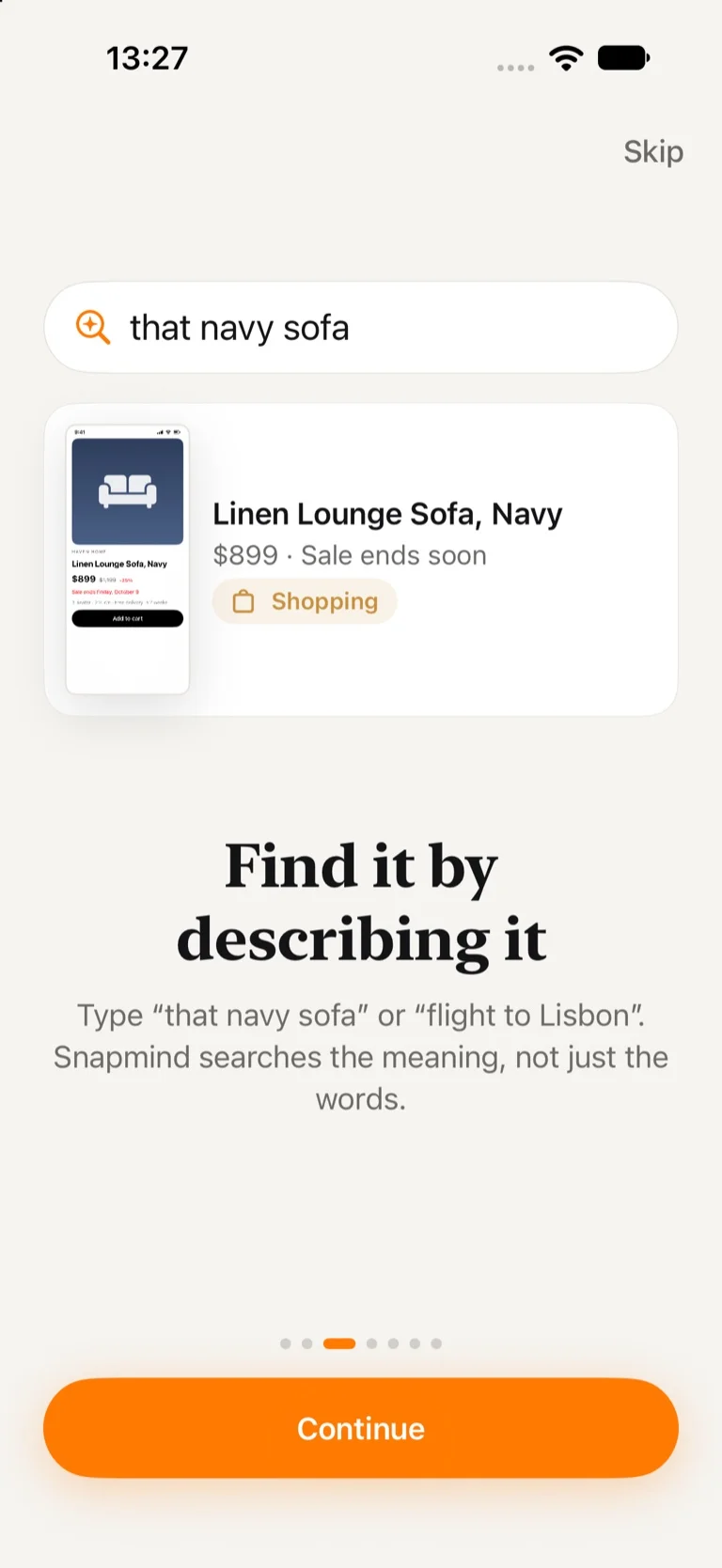
- Search by meaning: type "blue couch" and find "Linen Lounge Sofa, Navy"
- Ask your screenshots a question, such as "When is my flight and which gate?", and get an answer with the source
- "More like this" shows related saves next to every screenshot
Turn Screenshots into Actions
- Links, phone numbers, emails and addresses become buttons: open, call, write or get directions
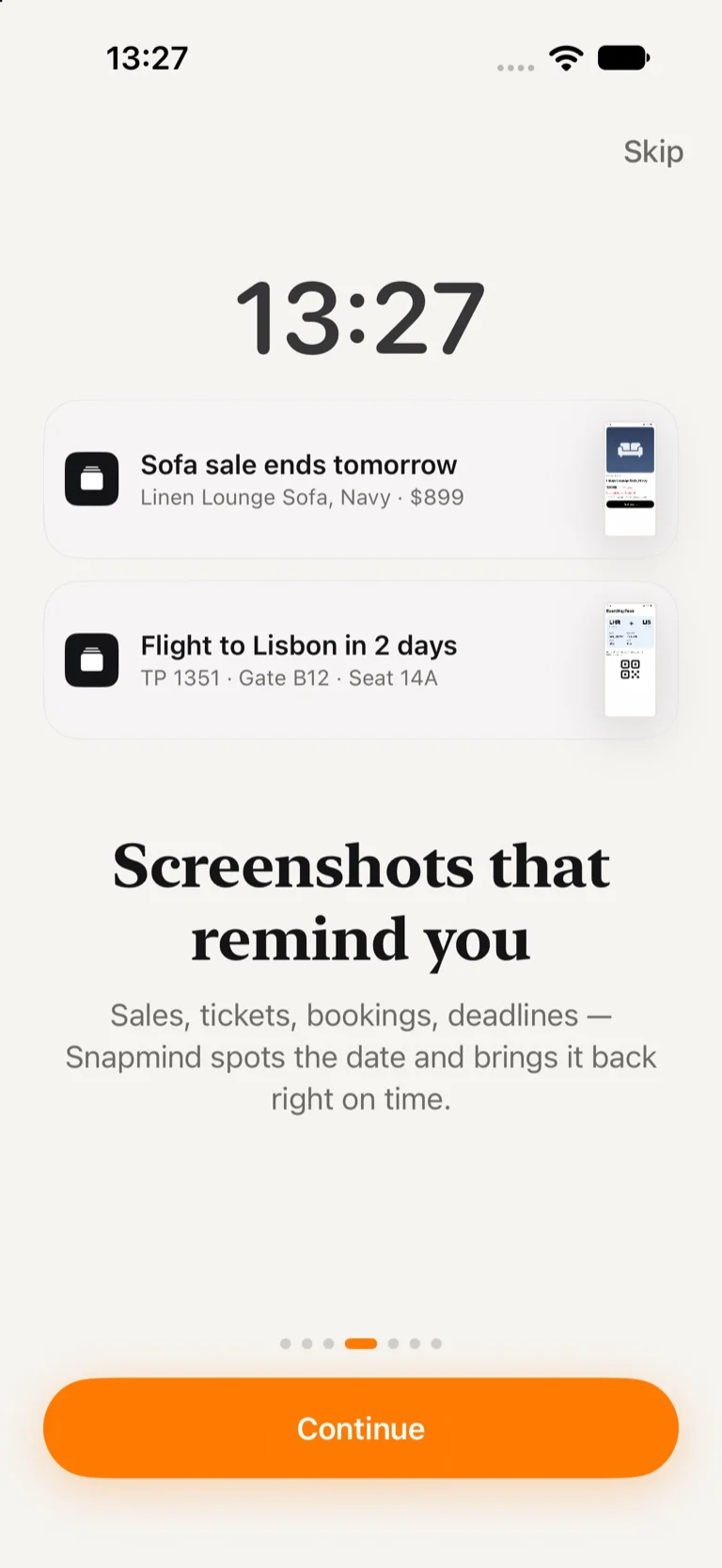
- Snapmind finds dates on a screenshot and suggests reminders: the day before a concert, before a sale ends, an hour before a flight
- Reminders arrive with a preview of the screenshot, so you know what they are about at a glance
- A Sunday recap of what you saved this week
Widgets and Shortcuts
- Home Screen widgets for your latest saves and upcoming reminders
- A Lock Screen button that opens search
- "Search Snapmind" with Siri and Shortcuts
Private by Design
- Text recognition, sorting, search and AI run on your iPhone
- Your screenshots are never uploaded to our servers, and our analytics never contain your text, titles, notes or links
- No account needed; sync goes only to your own private iCloud
Free and Pro
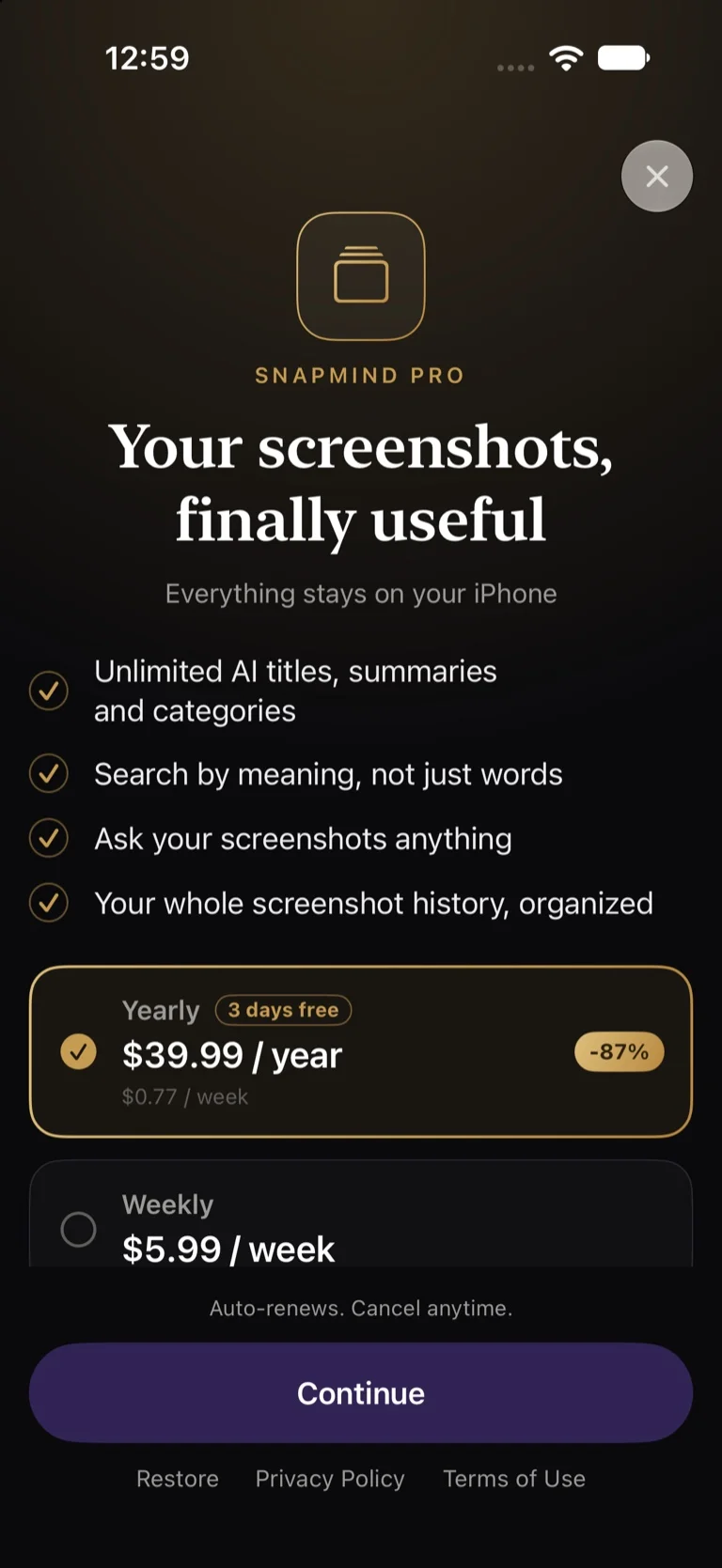
Free: automatic import, text recognition, search by words, reminders, collections, widgets and AI organizing for your first 30 saves. Snapmind Pro unlocks unlimited AI organizing, search by meaning and Ask your screenshots, as a weekly or yearly subscription with a free trial, or as a one-time lifetime purchase.
Good to Know
AI titles and summaries use Apple Intelligence on supported iPhones (iPhone 15 Pro and newer) and languages. On other iPhones Snapmind still reads the text and sorts screenshots by keywords. AI can make mistakes, so check important details like dates and prices before you rely on them.
Key Features
- Automatic organizing: every screenshot gets a title, a summary, tags and one of 14 smart categories.
- Search by meaning: describe what you saw and Snapmind finds it, even without the exact words.
- Ask your screenshots questions and get answers with the source screenshot one tap away.
- Smart reminders from dates on your screenshots, delivered with a preview of the screenshot.
- Private by design: text recognition, AI and search run on your iPhone, with sync through your own iCloud.
What's New
- Welcome to Snapmind! Your screenshots, titled, sorted and searchable
- Automatic import from Photos and saving from any app with the Share button
- Search by words and by meaning, and ask your screenshots questions
- Reminders from dates found on screenshots, with a preview in the notification
- Pinterest-style boards, widgets, Siri and private iCloud sync
Verified App Store Reviews
Authentic feedback from real iOS users worldwide
Fast, reliable, and beautifully designed
"Absolute lifesaver! Snapmind does exactly what it promises without any lag or complicated menus."
Super intuitive and privacy-first
"Super intuitive design. Love how privacy-focused FlashSoft apps are. Highly recommended!"
Worth every single penny
"Fast, clean, and reliable. Keeps everything running smoothly."
Frequently Asked Questions

Privacy & Terms of Service
FlashSoft ensures end-to-end data security and compliance for Snapmind.