Deleting thousands of pictures from the iOS Photos app frequently fails to free up immediate storage space due to internal operating system caching and quarantine buffers. When you delete an image, iOS does not execute a low-level NAND flash purge; instead, it reallocates the file to the 'Recently Deleted' quarantine album for 30 days, preserving full-resolution media and metadata. Furthermore, features like iCloud Photo Library 'Optimize Storage' retain multi-gigabyte SQLite thumbnail databases (`Photos.sqlite`) and render caches until iOS garbage collection is triggered by reboot or manual purge.
Executive Summary & Research Finding
iPhone storage full after deleting photos? Fix the 30-day Recently Deleted trap, purge thumbnail caches, and reclaim 25GB+ of ghost photo storage on iOS.
The 5 Culprits Behind Ghost Photo Storage on iPhone
Understanding where iOS conceals residual media assets enables users to force immediate NAND block reclamation without waiting weeks for background system routines.
| Storage Culprit | Average Ghost Footprint | Why iOS Withholds Space | Reclamation Method |
|---|---|---|---|
| Recently Deleted Album | 5GB – 30GB | Mandatory 30-day safety buffer against accidental deletion | Manual Face ID unlock -> 'Delete All' confirmation |
| Hidden Live Photo MOV Streams | 10GB – 40GB | Every Live Photo bundles a hidden 3-second 45fps H.265 video clip | Convert Live Photos to static JPEGs or prune burst frames |
| Messaging Caches (WhatsApp/Telegram) | 8GB – 25GB | Chat apps save incoming media twice: in chat sandbox AND camera roll | Clear in-app storage managers inside messaging settings |
| Photos.sqlite Thumbnail Cache | 2GB – 8GB | iOS pre-generates micro-thumbnails for smooth 120Hz ProMotion scrolling | Perform a hard forced restart to trigger iOS disk de-fragmentation |
| iCloud Sync Staging Buffer | 4GB – 15GB | Deleted photos remain locked in local flash waiting for cloud handshake | Connect to Wi-Fi + power charger to finalize two-way sync handshake |
Step-by-Step: How to Permanently Free Up 20GB+ of Ghost Photo Space
- Empty the Recently Deleted quarantine: Open Photos -> Utilities -> Recently Deleted -> Authenticate with Face ID -> Tap 'Select' -> Tap 'Delete All.'
- Prune duplicate and burst sequences: Scroll down to Utilities -> Duplicates, and tap 'Merge' on detected near-identical shots to keep only the highest-resolution frame.
- Audit messaging app duplicate media: In WhatsApp or Telegram, navigate to Settings -> Data and Storage -> Manage Storage, and delete large forwarded video files.
- Perform a forced device restart: Press and quickly release Volume Up, press and quickly release Volume Down, then hold the Power button until the Apple logo appears to force iOS to rebuild its storage index.
- Verify iPhone Storage breakdown: Open Settings -> General -> iPhone Storage, and confirm that the grey 'System Data' bar has compressed.
The Anatomy of a Live Photo: The 16GB Surprise
Most users think a Live Photo is just a photograph. In reality, iOS captures a 3.5MB HEIC still image paired with an invisible 12.5MB high-framerate QuickTime MOV file. If you have 2,000 Live Photos in your gallery, you are carrying over 25GB of video files that you rarely play. Converting them to static images frees massive storage instantly.
Why Does iOS 'System Data' Spike Immediately After Deleting Photos?
It is common to delete 10GB of photos and watch 'System Data' expand by the exact same amount. This happens because the APFS (Apple File System) marks the deleted NAND blocks as 'purgeable' rather than 'free.' The operating system keeps the cached data until another app requests write permissions for that physical sector. A forced restart or capturing 4K 60fps video will instantly force the APFS kernel to flush purgeable caches into true free space.
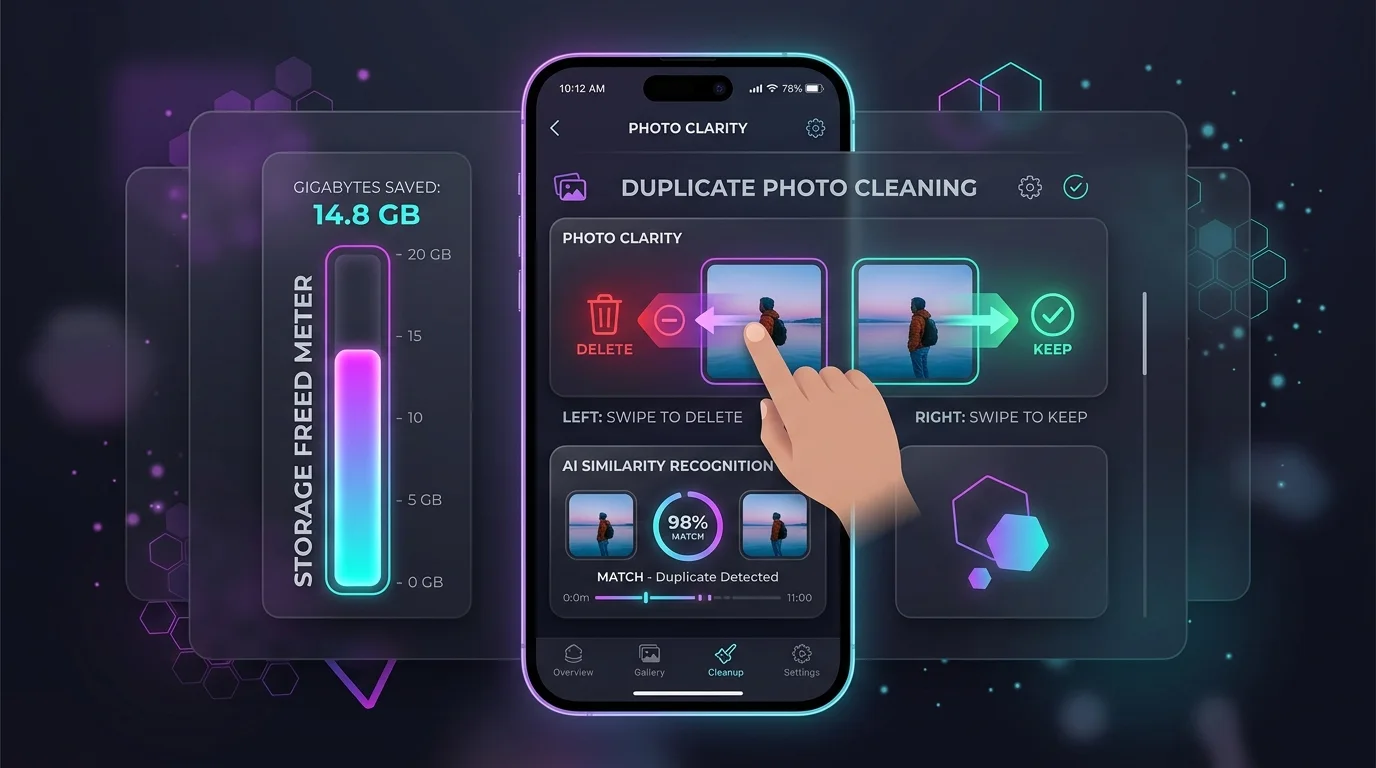
How Does Swipe Photo Cleaner App Make Photo Organization Effortless?
Manually scrolling through 15,000 photos to find duplicates is exhausting. Swipe Photo Cleaner (Wipe AI) transforms photo decluttering into a fast, fun Tinder-style swiping game: swipe left to trash, swipe right to keep. With on-device CoreML smart scanning for blurry shots, duplicate screenshots, and oversized video clips, you can clean an entire year of camera roll clutter in a single subway ride.
Instant iPhone Storage & iCloud Savings Calculator
Adjust your photo library size, duplicate estimates, and 4K video count to calculate how many gigabytes you can safely reclaim.