About the App
App Preview & Screenshots
Description
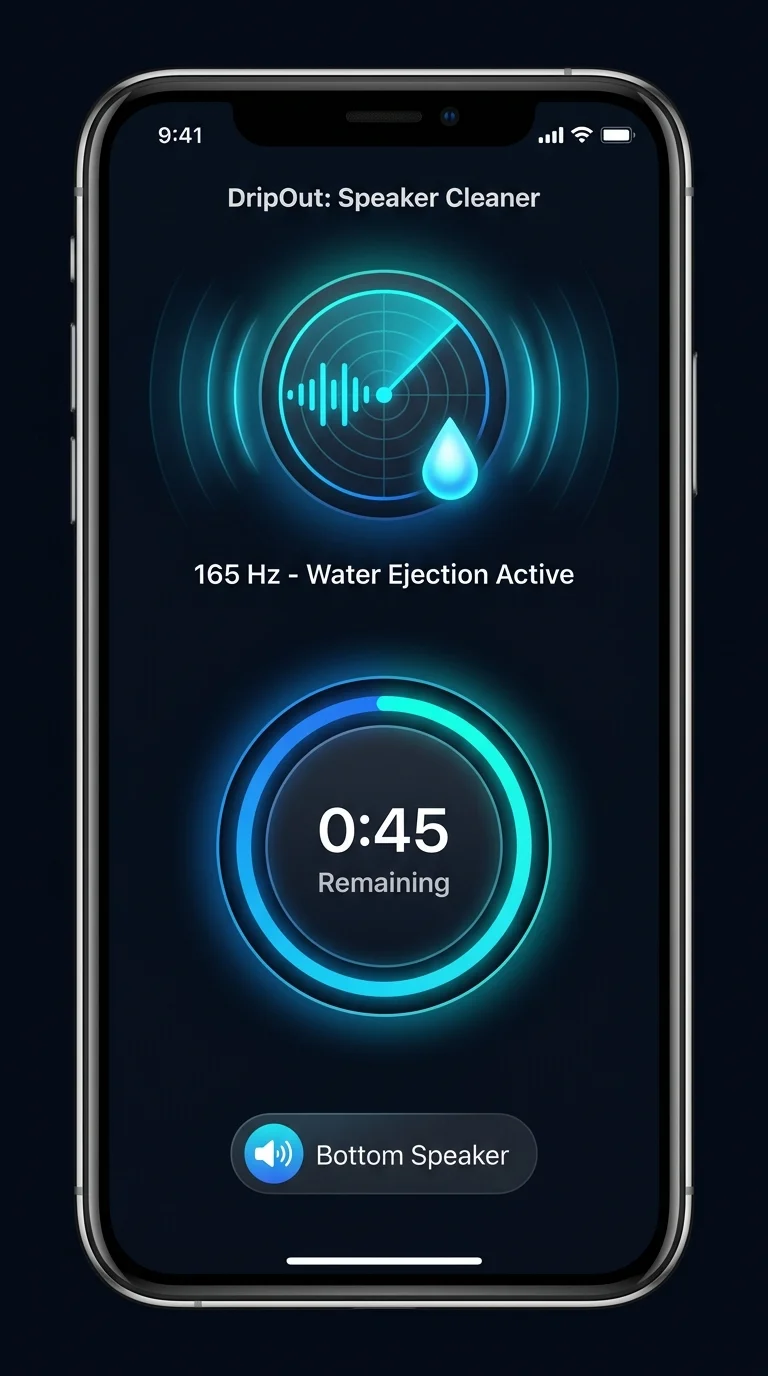
Your speaker sounds muffled. DropOut fixes it in 30 seconds. DropOut plays targeted sound frequencies that vibrate water and dust out of your iPhone speaker grilles. No shaking, no blowing, no waiting for it to dry.
Got water in your iPhone speaker?
You dropped your phone in a puddle. Got caught in the rain. Splashed it at the sink. Now every voice call sounds like it's coming through a wet paper towel.
The fix isn't time. It's the right frequency.
DropOut generates low-frequency audio pulses that push liquid out of the speaker mesh — the same acoustic principle as the water eject feature on Apple Watch, running right on your iPhone.
Works on:
- Bottom speaker
- Earpiece (front speaker)
- AirPods and wired headphones
How It Works
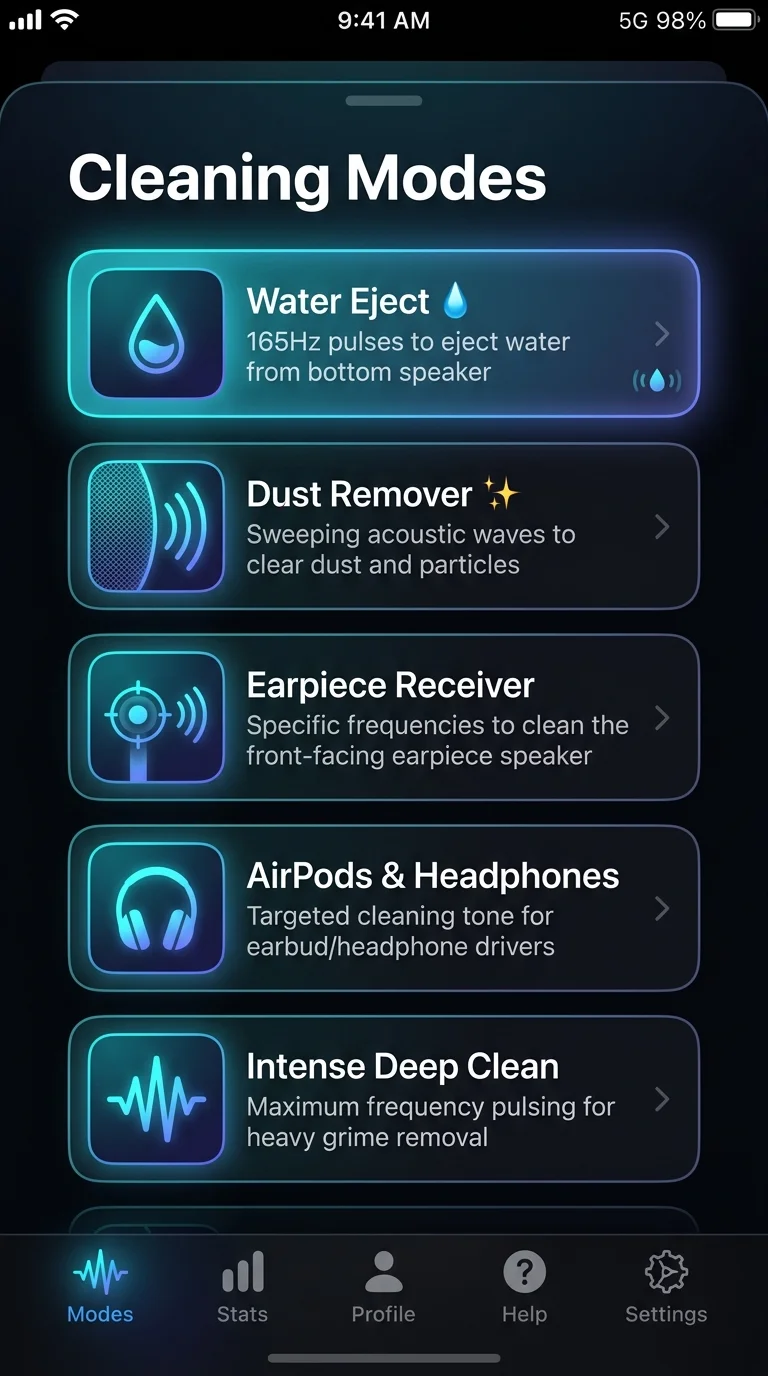
1. Choose a mode — Water, Dust, Earpiece, Headphones, or Intense
2. Press Start — DropOut plays cleaning tones at optimized volume
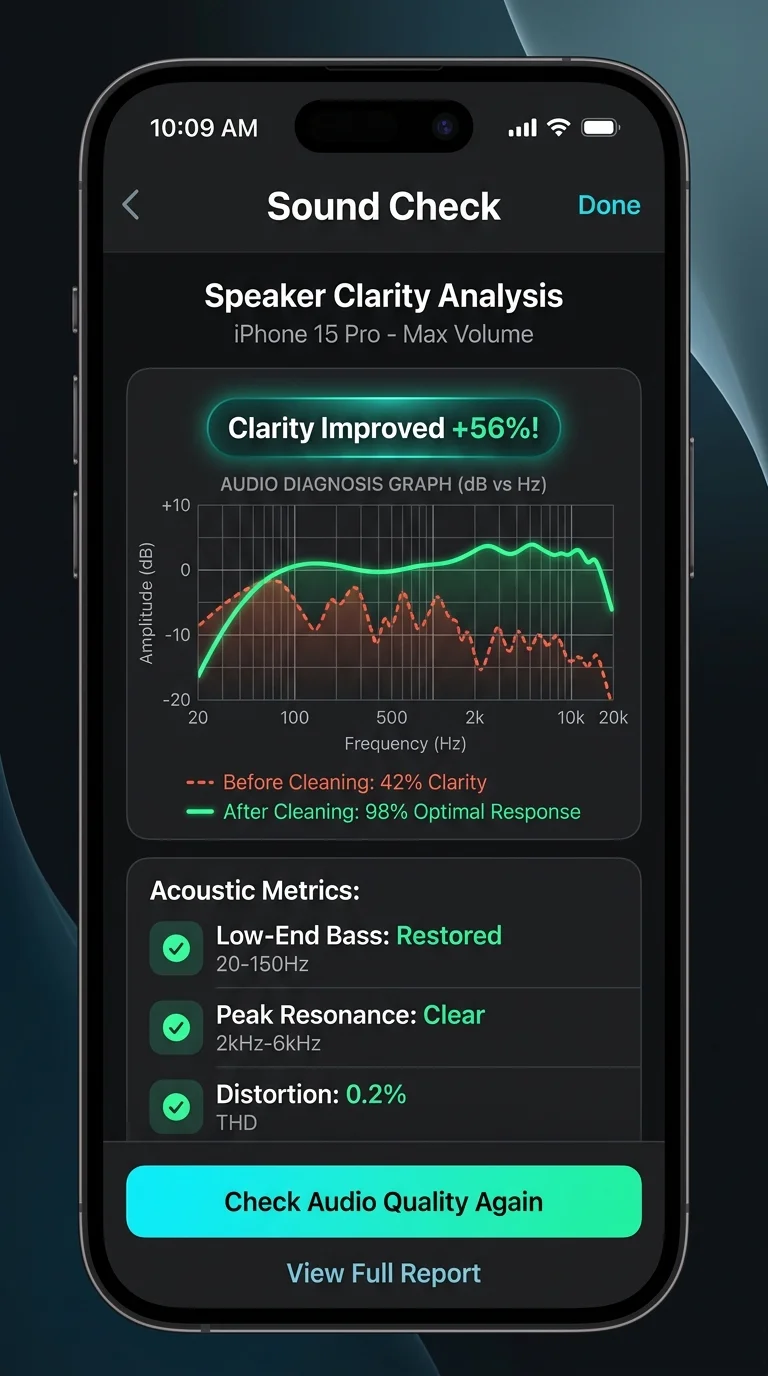
3. Hear the difference — run Sound Check before and after to see the frequency response improve on a graph
No cables. No hardware. No disassembly.
5 Cleaning Modes
- Water: Low-frequency bursts that push water drops out of speaker grilles
- Dust: Sweeping tones that dislodge dry particles and lint
- Earpiece: Targets the small front speaker on your iPhone
- Headphones: Runs the cleaning signal through AirPods or wired headphones
- Intense: Longer, stronger session for stubborn moisture after deep exposure
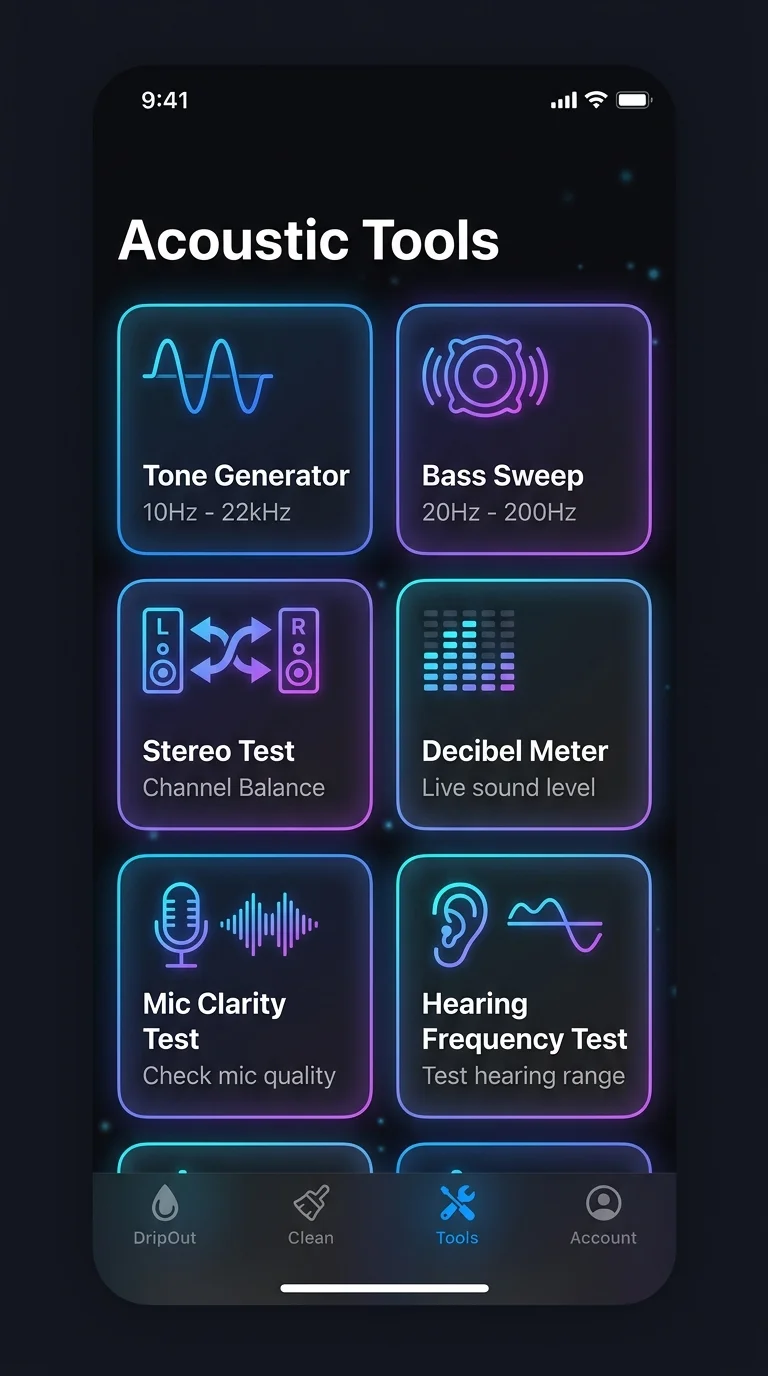
7 Audio Tools Included
- Sound Check: Measures speaker frequency response before and after cleaning so you can see the actual improvement on a graph
- Tone Generator: Play any pure frequency from 10 Hz to 22 kHz
- Bass Test: Sweep 20–200 Hz to check low-end speaker response
- Stereo Test: Verify left and right channels work independently
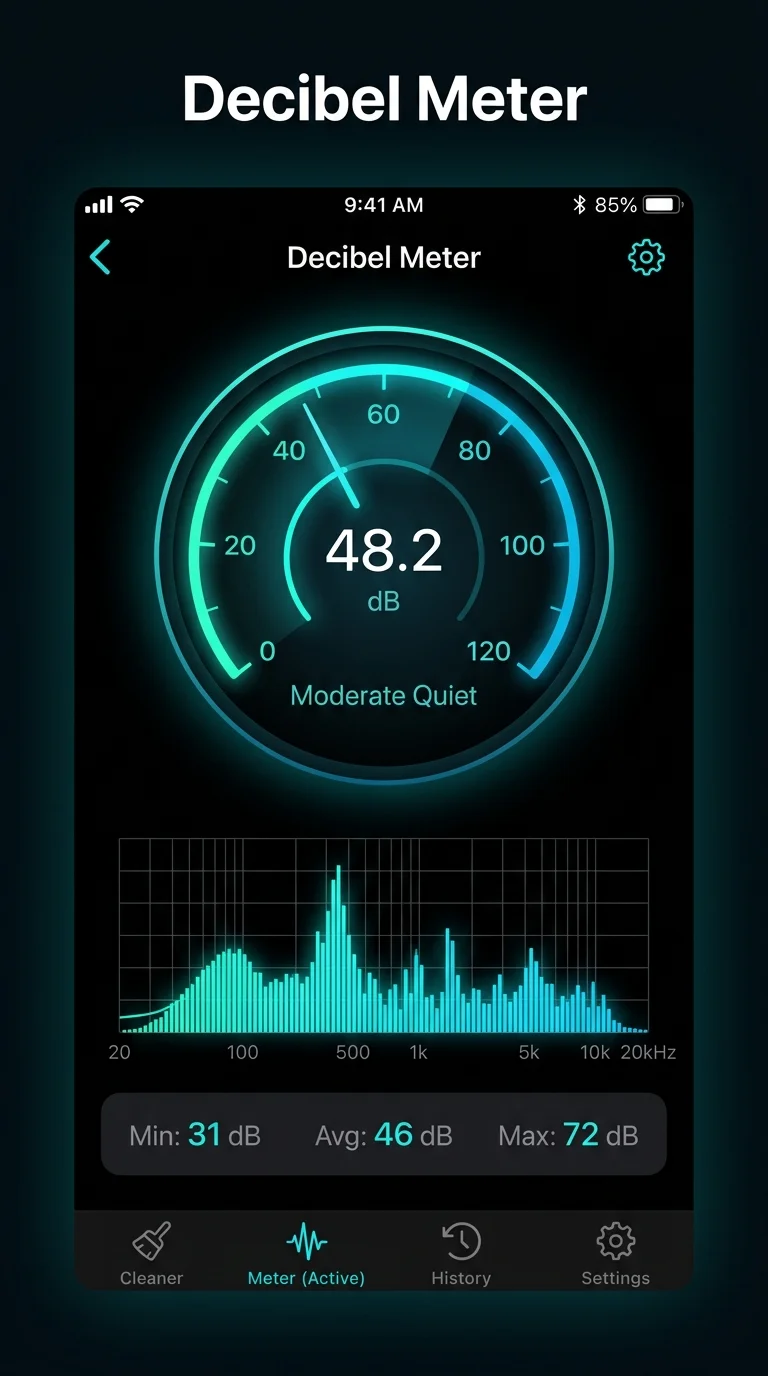
- Decibel Meter: Live ambient noise level in real time
- Mic Test: Record 5 seconds and play back to check microphone clarity
- Hearing Test: Find the highest frequency you can still hear
Who Uses DropOut
- iPhone owners who dropped their phone in water and now hear muffled audio
- Outdoor enthusiasts — hikers, cyclists, beachgoers — whose speakers fill with dust and sand
- Musicians and podcasters who need to verify device audio before a session
- Parents whose kids got the phone wet
- Anyone who wants to know if their speakers perform at full capability
Free and Pro
DropOut is free to download and start. Free includes Water, Dust, and Earpiece cleaning modes with a daily session limit. Pro unlocks unlimited sessions, all five cleaning modes, all seven audio tools, vibration boost, and ad-free usage.
DropOut uses sound and vibration to help push out water and dust. It cannot repair physical hardware damage. If your speaker stays distorted after multiple sessions, contact Apple or an authorized service provider.
Key Features
- Acoustic Water Ejection — 165Hz targeted sound pulses push liquid droplets out of speaker mesh in 30 seconds.
- 5 Specialized Cleaning Modes — Dedicated frequencies for bottom speaker, front earpiece, AirPods, dust removal, and deep moisture.
- Sound Check Clarity Analysis — Measures frequency response before and after cleaning so you can see actual improvement on a graph.
- 7 Precision Audio Tools — Built-in tone generator (10Hz–22kHz), decibel sound meter, bass sweep, stereo test, mic test, and hearing test.
- Safe On Hardware — Scientifically calibrated sound levels that safely vibrate moisture loose without stressing speaker voice coils.
- Instant 1-Tap Access — Home Screen widgets, Control Center button, Siri Shortcuts, and iPhone Action Button support.
What's New
- Introducing DropOut: The advanced speaker cleaner and acoustic water ejection tool
- 5 Targeted Cleaning Modes: Water Eject, Dust Remover, Earpiece Receiver, AirPods, and Intense Deep Clean
- Sound Check Frequency Analysis: Measure before and after speaker clarity on a live graph
- 7 Pro Audio Tools: Tone Generator (10Hz-22kHz), Decibel Meter, Bass Sweep, Stereo Test, Mic Test, Hearing Test
- Control Center & Action Button integration for instant 1-tap water ejection
Verified App Store Reviews
Authentic feedback from real iOS users worldwide
Saved my iPhone 15 speaker after dropping it in the sink
"Dropped my phone while doing dishes and calls were completely muffled. Ran the Water Eject cycle twice, little water droplets literally beaded right out onto the paper towel, and the Sound Check tool verified clarity was back to 100%. Unbelievable app."
Works on earpiece and AirPods too
"Most speaker cleaners only do the bottom loudspeaker. DropOut having dedicated modes for the top earpiece receiver and AirPods sweat condensation is a game-changer. The decibel meter and tone generator tools are great bonuses."
The Sound Check frequency graph proves it works
"I was skeptical about sound apps, but seeing the acoustic measurement curve before and after the 165Hz cycle showed the dampening disappear in real time. Crisp sound restored in 30 seconds."
Frequently Asked Questions



Privacy & Terms of Service
FlashSoft ensures end-to-end data security and compliance for DropOut.