
Про додаток
Замазуйте обличчя, номерні знаки та приватні дані перед публікацією. Кілька дотиків просто на вашому iPhone.
Скриншоти & Огляд
Детальний Опис
Замазуйте обличчя, номерні знаки та приватні дані перед публікацією. Кілька дотиків просто на вашому iPhone.
Публікація відео не повинна наражати на небезпеку випадкових перехожих, розкривати номери авто чи особисті повідомлення на фоні. Blura автоматично знаходить приватні дані та приховує їх, тож ролик готовий до публікації за секунди замість годин у складному відеоредакторі.
ЗНАЙШОВ. ЗАМАЗАВ.
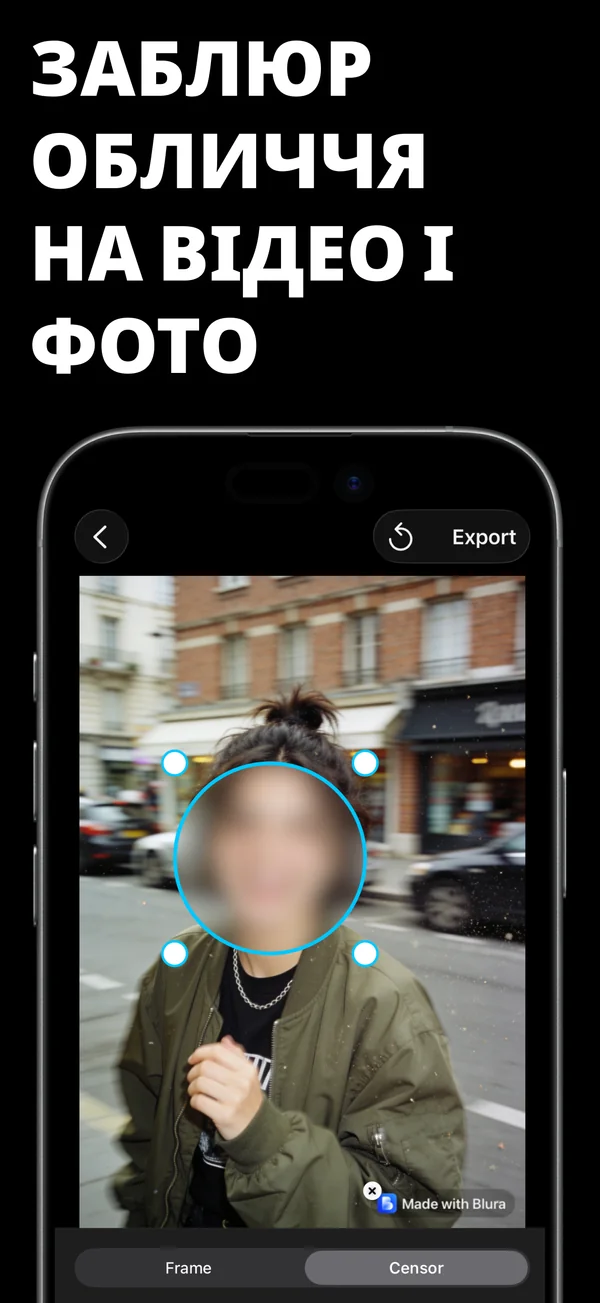
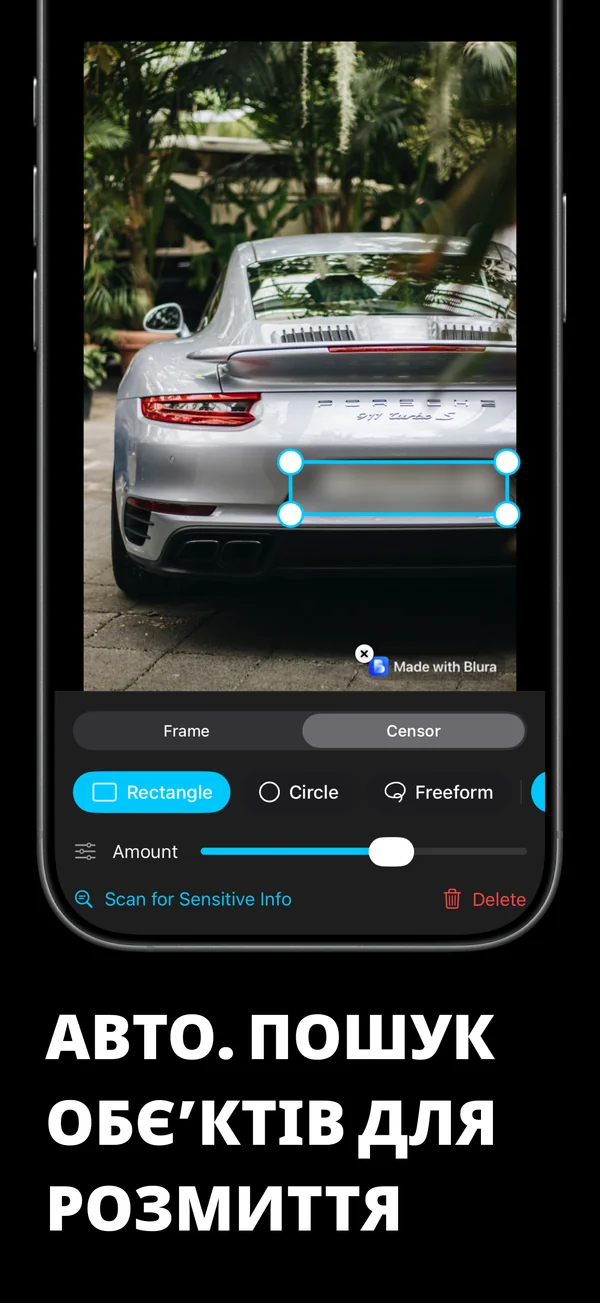
- Автосканування виявляє обличчя, номери авто, телефони, банківські картки, QR-коди та текст на екрані
- Один дотик, щоб заблюрити все знайдене, або виберіть лише потрібні області
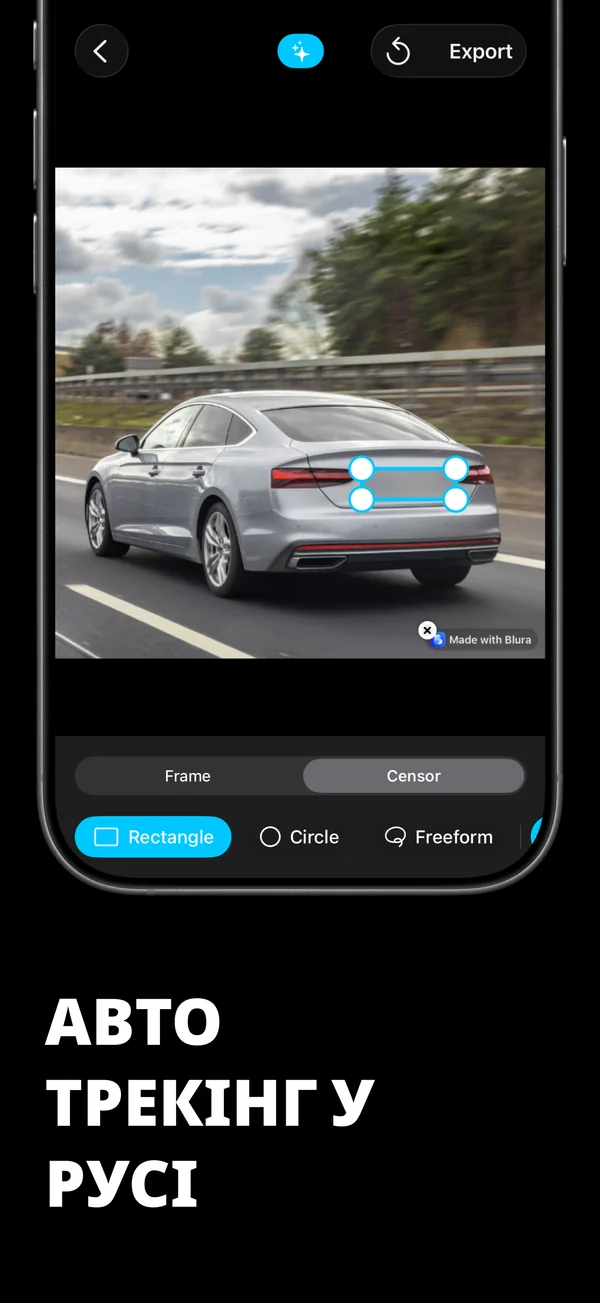
- Відстеження облич плавно слідує за рухом людей кадр за кадром
- Малюйте власні області в будь-якому місці: прямокутник, коло або вільна форма
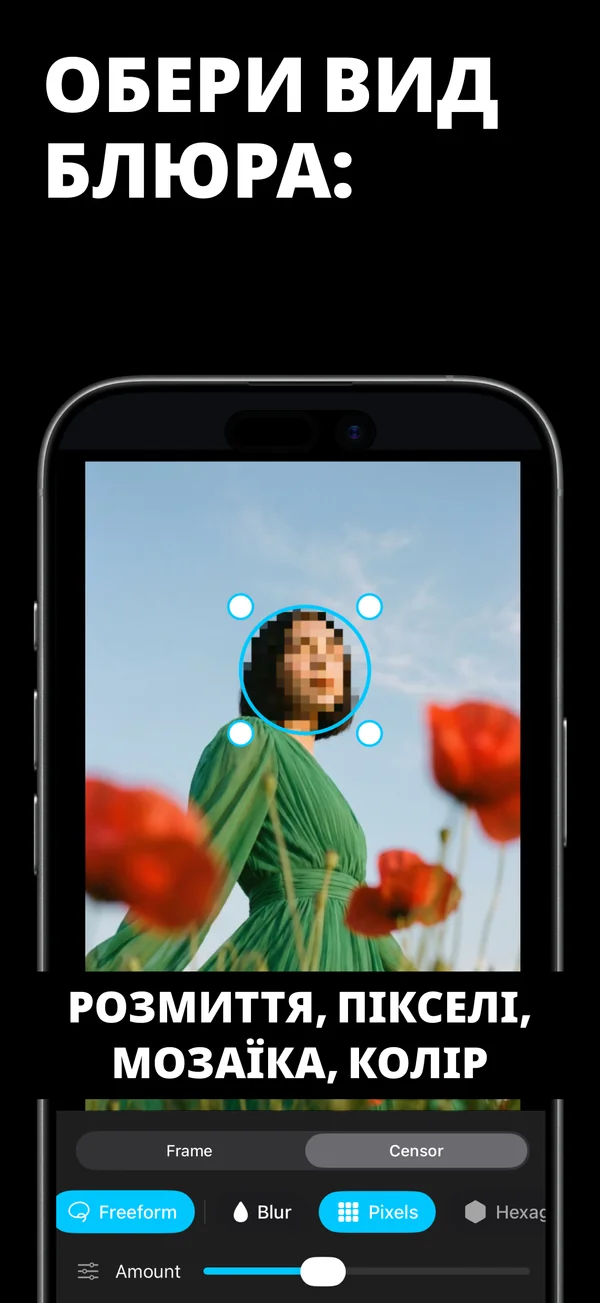
ОБЕРІТЬ СВІЙ СТИЛЬ
Блюр, пікселі, гексагони, кристал, крапки, шум або суцільний колір. М'який блюр для фону, чіткі пікселі для автономерів, чорна плашка для документів.ЗМІНА РОЗМІРУ БЕЗ ОБРІЗАННЯ
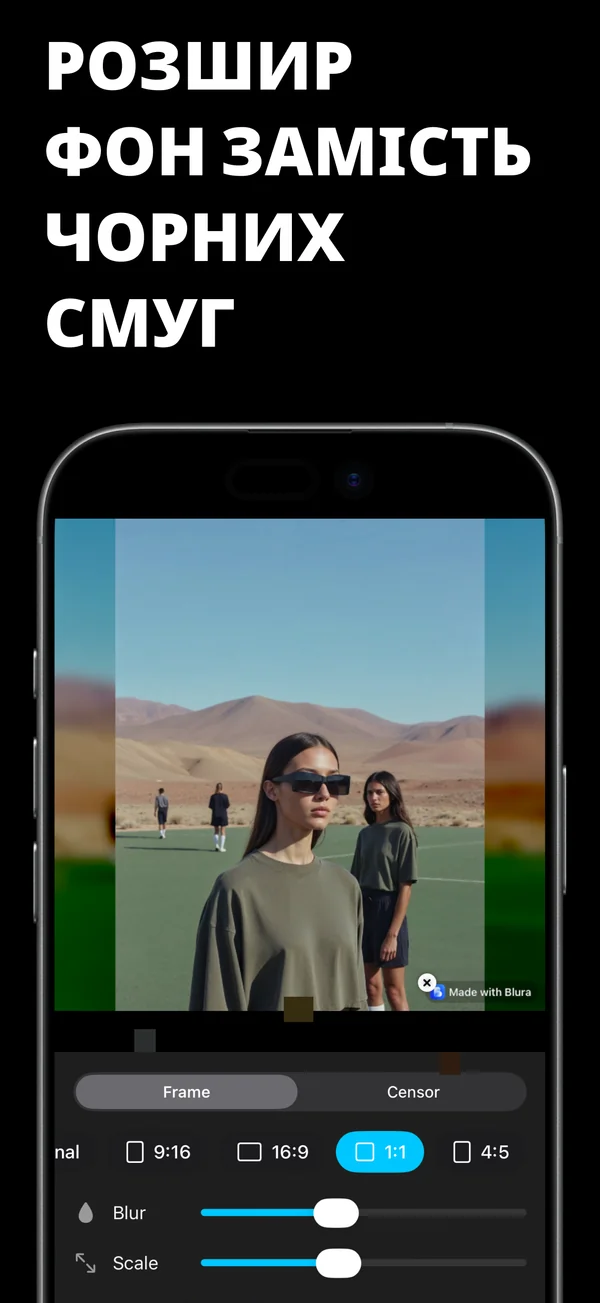
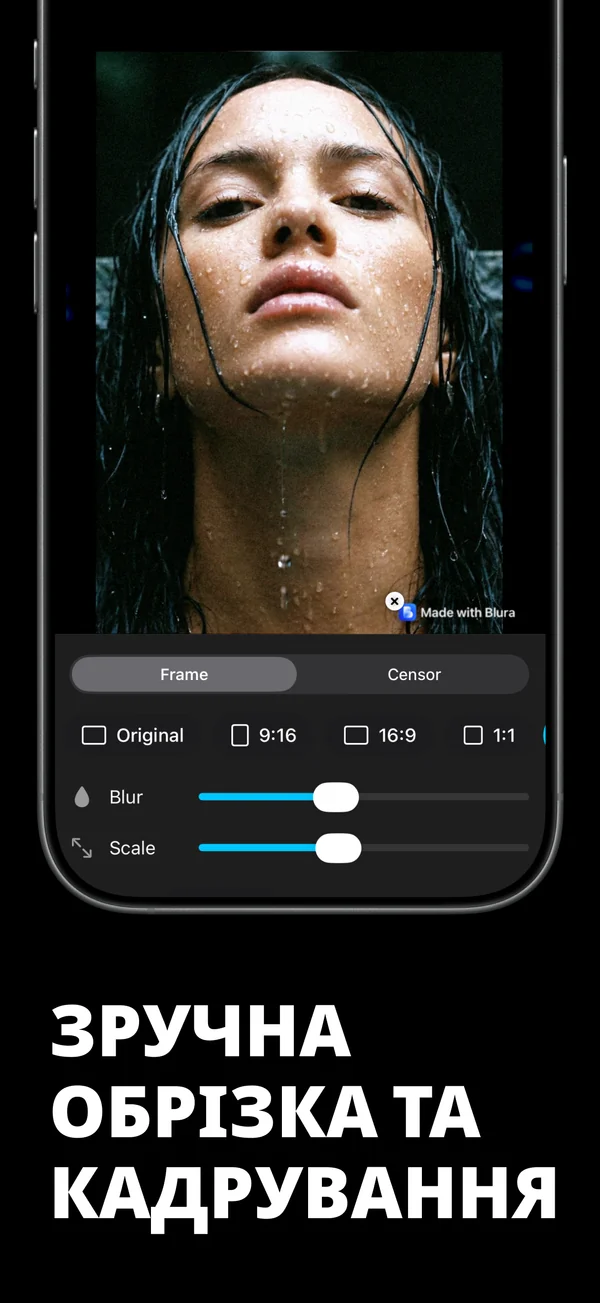
Підлаштуйте будь-який кліп під 9:16, 1:1, 4:5 або 16:9, і Blura заповнить порожнє місце розмитою копією того ж відео. Ваш пост у Stories збереже весь кадр, без обрізання людей.ПРАЦЮЄ І З ФОТО
Те саме виявлення, ті самі інструменти та блюр в один дотик тепер для скриншотів, документів, паспортів і будь-яких фото.КОНФІДЕНЦІЙНІСТЬ ЗА ЗАМОВЧУВАННЯМ
Виявлення, розмиття та експорт працюють виключно на вашому пристрої. Ваші відео та фото ніколи не залишають iPhone: нічого не надсилається на сервер. Видалення геоданих, відомостей про пристрій і дати одним перемикачем.ПРОЄКТИ ЗБЕРІГАЮТЬСЯ
Кожне редагування зберігається в Історії. Повертайтеся пізніше, змінюйте область чи ефект та експортуйте знову.Ключові Функції
- Знайшов — Замазав: автовиявлення облич, автономерів, карток, QR-кодів і тексту.
- Плавний трекінг облич: інтелектуальне покадрове стеження за рухом людей на відео.
- 7 унікальних стилів: розмиття, пікселізація, гексагони, кристал, шум та чорна плашка.
- Адаптація під Stories 9:16, 1:1, 4:5 без обрізання людей завдяки розмитому фону.
- Цензура скриншотів і фото: швидке видалення конфіденційних метаданих.
- 100% локальна безпека: обробка виключно на iPhone без завантаження в хмару.
Що Нового в Останній Версії
- Автоматичне сканування номерних знаків, документів, карток та QR-кодів
- Покадрове стеження за обличчями в динамічних відеороликах
- 7 стилів блюру, включаючи гексагони, кристал та цифровий шум
- Режими 9:16, 1:1, 4:5 без обрізання кадру з красивим розмитим фоном
- Очищення геолокації та метаданих перед збереженням
Відгуки Користувачів
12 липня 2026
★★★★★
"Чудовий додаток! Blura працює швидко та без зайвих ускладнень."
27 червня 2026
★★★★★
"Дуже гарний дизайн і приємна анімація. Головне — повна приватність, дані не йдуть у хмару!"
18 травня 2026
★★★★★
"Найкраще рішення для мого iPhone. Працює стабільно та звільняє купу пам'яті."
Часті Запитання
Як працює автосканування облич та об'єктів у Blura?
Blura використовує технології комп'ютерного зору для миттєвого виявлення облич, автомобільних номерів, телефонів, банківських карток, QR-кодів і тексту на екрані. Ви можете розмити все разом або приховати лише вибрані об'єкти.
Чи підтримується відстеження рухомих облич на відео?
Так. Blura має інтелектуальний покадровий трекінг, який надійно утримує цензурну маску на людях під час їх руху або при переміщенні камери.
Чи завантажуються мої файли на зовнішні сервери?
Ні, ніколи. Blura працює повністю локально на процесорі вашого iPhone. Жодні дані не передаються в хмару. Також можна видалити геолокацію та дату з файлу одним натисканням.
Як працює адаптація під Stories без обрізання кадру?
Blura дозволяє вписати будь-яке відео у формати 9:16 (Stories, Reels, TikTok), заповнюючи порожні поля розмитою копією цього ж відео, щоб зберегти повний оригінальний кадр.



Корисні Гайди & Статті
Порівняльні показники програмного забезпечення та огляди програм18 хв читання
Найкращі програми для розмиття відео та фотографій на iPhone (2026): конфіденційність на пристрої та хмарні редактори
Читати ГайдКонфіденційність і безпека5 хв
Як безпечно розмити етикетки з рецептами, медичні записи та результати лабораторних досліджень на iPhone
Читати ГайдАвтомобільна та медіапродукція15 хв читання
Фотозйомка автомобілів і автомобілів: найкращі способи приховати номерні знаки на знімках у форматі 4K
Читати ГайдКорпоративна безпека та відповідність16 хв читання
Як цензурувати знімки екрана конфіденційного чату, ідентифікаційну інформацію клієнта та внутрішні документи для презентацій
Читати ГайдТехнології та продуктивність5 хв
Цензура робочих дошок, вихідного коду та схем архітектури у фотографіях
Читати ГайдГромадянські свободи та цифрові права17 хв читання
Громадянська журналістика та мирні демонстрації: як розмити обличчя та татуювання безпосередньо на iPhone
Читати ГайдСтворення мобільної фотографії та відео5 хв
Етикет фотографій на коміках і косплеях: як розмивати перехожих за допомогою природного боке для цифрових фотокамер (2026)
Читати ГайдАвтомобільне законодавство та закон про конфіденційність16 хв читання
Як розмити номерні знаки та обличчя перехожих у відеореєстраторі на iPhone (2026)
Читати ГайдФото та відео5 хв
Конфіденційність відео з дронів: як розмити вікна та двори сусідів перед публікацією
Читати ГайдФітнес і соціальний етикет15 хв читання
Етикет і конфіденційність зйомок у спортзалі: як розмити фон незнайомців у відео тренувань на iPhone
Читати ГайдКонфіденційність і створення вмісту5 хв
Як розмити обличчя у рухомих відео для соціальних мереж: Посібник із конфіденційності AI та боротьби з Doxxing (2026)
Читати ГайдКібербезпека та криптографія18 хв читання
Мозаїка проти розмиття за Гауссом чи затемнених смуг: який стиль цензора справді протистоїть штучному розмиванню?
Читати ГайдКонфіденційність і безпека мобільних пристроїв5 хв
Запобігання переслідуванню в Інтернеті: як розмити шкільну форму, ідентифікаційні значки та станції в соціальних мережах (2026)
Читати ГайдФінансова конфіденційність і редакція документів15 хв читання
Як безпечно редагувати номери кредитних карток, банківські виписки та податкові форми на iPhone
Читати ГайдРедагування відео та створення вмісту14 хв читання
Як конвертувати альбомне відео формату 16:9 у вертикальні барабани формату 9:16 без обрізання головок або якості
Читати ГайдКонфіденційність і безпека5 хв
Спільне кільце та відео з камери безпеки: як розмити двері сусідів і перехожих
Читати ГайдБезпека ринку та власності15 хв читання
Продаєте автомобіль чи дім онлайн? Як цензурувати адреси, таблички та цінні речі на фотографіях
Читати ГайдПристосування для безпеки та техніки електронної комерції15 хв читання
Продаж вживаної електроніки на eBay: чому ви повинні затемнювати серійні номери та IMEI на фотографіях оголошень
Читати ГайдБезпека сім'ї та дітей17 хв читання
Приховані небезпеки «обміну»: чому педіатри закликають батьків затулювати обличчя дітей в Інтернеті
Читати ГайдЗакон про засоби масової інформації та публічний відеоблог17 хв читання
Вуличні інтерв’ю та публічні відеоблоги: юридичні закони про конфіденційність і розмивання облич перехожих у 2026 році
Читати ГайдМобільна конфіденційність і захист від переслідування15 хв читання
Як видалити теги розташування GPS EXIF і метадані пристрою з фотографій і відео на iPhone
Читати ГайдВиховання та молодіжний спорт15 хв читання
Зйомка молодіжних спортивних турнірів: правила конфіденційності та розмивання облич для батьків команди
Читати ГайдПриватність та Умови Використання
FlashSoft гарантує 100% безпеку даних на пристрої для Blura.