If your step counter app or fitness wearable claims you took 12,000 steps today, there is a high statistical probability that between 1,500 and 3,500 of those steps are complete optical illusions—phantom movements generated by highway car vibrations, office keyboard typing, hand gestures, or loose coat pockets. Conversely, if you push a baby stroller, walk on an under-desk treadmill while typing, or carry grocery bags, your pedometer may be quietly erasing up to 40% of your genuine physical effort. In this comprehensive technical guide, we examine the physics of step sensing, diagnose the 7 biggest error sources, and provide the exact step-by-step calibration protocols to restore 98% tracking accuracy on your smartphone using StepLeague: Pedometer & Walking App.
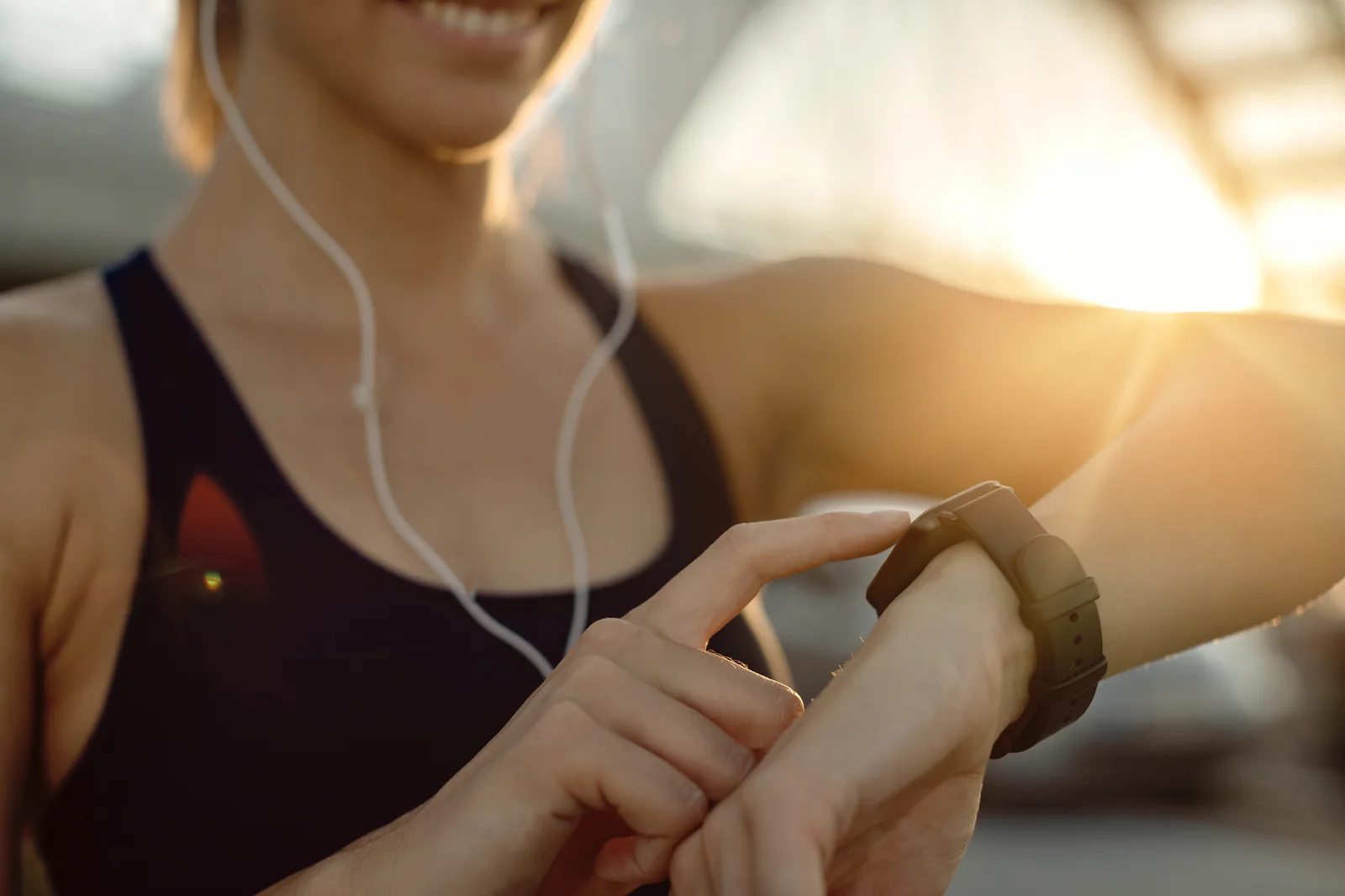
The fundamental paradox of modern fitness tracking is that consumers treat digital step counts as infallible mathematical ground truth, while biomedical engineers know that every consumer pedometer is merely an approximate statistical estimator. A smartphone does not have eyes; it cannot 'see' your feet striking the earth. Instead, it relies on a silicon microelectromechanical proof mass suspended on microscopic springs, inferring footsteps from complex wave patterns of acceleration, tilt, and jerk. When environmental vibrations mimic the frequency of human ambulation, algorithms get fooled. Let us dive deep into the signal processing mechanics, error vectors, and clinical calibration fixes.
The Engineering Behind Step Detection: From Voltage to Digital Steps
To understand why a step counter errs, one must understand how digital step detection algorithms function inside iOS CoreMotion and Android SensorManager. The journey from a physical foot strike to a logged step follows a five-stage digital signal processing (DSP) pipeline:
- Stage 1: Analog Transduction & Capacitive Measurement: As your heel strikes the pavement, the kinetic shock wave accelerates the phone. A suspended silicon microscopic proof mass deflects, altering the differential capacitance across stationary electrode fingers. On-chip analog-to-digital converters (ADCs) sample these micro-voltage fluctuations at 100 Hz (100 times per second) across three spatial axes (X, Y, Z).
- Stage 2: Dynamic Magnitude Extraction & Gravity Separation: Because the smartphone can tumble freely in your pocket, the algorithm computes the vector magnitude: A_mag = sqrt(X^2 + Y^2 + Z^2). The software then fuses this signal with angular velocity data from the three-axis gyroscope to mathematically subtract the continuous 1.0g downward pull of Earth's gravity, isolating pure dynamic human acceleration.
- Stage 3: Bandpass Frequency Filtering: Human walking cadence occupies a distinct spectral window, typically oscillating between 1.4 Hz and 2.8 Hz (equivalent to 84 to 168 steps per minute). A digital bandpass filter attenuates signals outside this frequency corridor, eliminating ultra-low frequency baseline wander (such as gentle boat rocking) and high-frequency noise (such as an electric toothbrush or vehicle engine buzzing).
- Stage 4: Zero-Crossing & Dynamic Peak Thresholding: The filtered acceleration waveform resembles a continuous sine wave. The algorithm monitors when the signal crosses the zero-axis and rises above a dynamically calibrated peak threshold (typically 0.15g to 0.35g of positive acceleration).
- Stage 5: Periodic Autocorrelation Buffer: To prevent a single jolt (such as dropping your phone on a sofa) from registering as a step, modern algorithms maintain a sliding buffer of 4 to 8 consecutive strides. A step sequence is committed to permanent HealthKit memory only if the waveform displays rhythmic, self-similar periodic symmetry.
The 7 Major Culprits Behind Inaccurate Step Counts
Despite sophisticated filtering, specific everyday physical environments closely mirror the mathematical signature of human walking. Here are the seven primary error vectors responsible for overcounting and undercounting:
| Error Vector / Scenario | Error Mechanism | Typical Impact (% Error) | Device Most Vulnerable | Correction Protocol |
|---|---|---|---|---|
| Automobile / Bus Transit | Low-frequency chassis suspension vibrations (1.5–2.5 Hz) mimic walking cadence on bumpy roads | +5% to +20% (Overcounting ghost steps) | Wrist smartwatches & loose dashboard phone mounts | Enable CoreMotion transit heuristics; pocket placement |
| Typing & Keyboard Fidgeting | Rapid repetitive wrist taps register as micro-impacts when arms are rested on a desk | +10% to +35% (Overcounting ghost steps) | Apple Watch / Wrist fitness trackers exclusively | Use pocket-worn iPhone or disable wrist tracking during work |
| Pushing Stroller / Grocery Cart | Hands remain completely stationary on the handlebar, dampening kinetic shock transmission to wrists | -20% to -45% (Catastrophic Undercounting) | Wrist smartwatches exclusively | Place smartphone in front trouser pocket to capture pelvic hip motion |
| Loose Clothing & Oversized Pockets | Phone bounces freely within pocket cavity, creating secondary harmonic impact echoes | +8% to +15% (Double-counting bounces) | Smartphones in baggy sweatpants or loose trench coats | Snug trouser pockets or fitted athletic waistbands |
| Under-Desk Treadmill Typing | Wrists rest static on standing desk while lower body walks across treadmill belt | -50% to -90% (Misses nearly all steps) | Wrist wearables and desk-resting smartphones | Tuck smartphone into sock cuff, ankle band, or trouser pocket |
| Cobblestone & Off-Road Cycling | Handlebar road shock mimics aggressive power-walking cadence | +15% to +30% (False positive steps) | Both smartphones in handlebar mounts and wrist trackers | Use cycling workout mode to suppress pedometer logging |
| Soft Terrain (Deep Sand / Snow) | Absorptive surfaces blunt deceleration gradient, flattening peak acceleration below detection threshold | -5% to -12% (Undercounting gentle steps) | All accelerometer-based pedometers | Increase walking cadence to exceed minimum peak g-force threshold |
The 100-Step Verification Protocol: Gold-Standard Laboratory Testing
Before you can fix an inaccurate step counter, you must establish an empirical baseline error rate. Biomedical researchers utilize the 100-Step Validation Protocol to measure device accuracy under controlled conditions. You can execute this simple test in five minutes:
- Step 1: Check Current Step Count: Open the Apple Health app or StepLeague and record your exact current step count (e.g., 4,120 steps). Note down the exact number.
- Step 2: Place Device in Standard Position: Place your iPhone in your standard front trouser pocket (or your smartwatch on your non-dominant wrist).
- Step 3: Walk Exactly 100 Paces: Walk along a flat, level hallway or sidewalk at your normal, natural cadence. Count every single heel strike manually in your head: '1, 2, 3... 98, 99, 100'. Do not look at the phone or stop mid-walk.
- Step 4: Stop and Wait 20 Seconds: Upon taking the 100th step, come to a complete standstill. Wait 20 seconds to allow the iOS sensor buffer and background daemon (`healthd`) to finalize its autocorrelation window and commit the batch to memory.
- Step 5: Check New Step Count: Reopen your app and subtract your initial number from your new number. The difference is your measured steps.
Interpreting Your Validation Score
• 97 to 103 Steps (Error <3%): Excellent clinical accuracy. No calibration needed. • 93 to 96 or 104 to 107 Steps (Error 4–7%): Acceptable for consumer wellness, but indicates loose pocket placement or slight stride variance. • Below 92 or Above 108 Steps (Error >8%): Significant sensor misalignment, background permission corruption, or conflicting third-party data sources. Calibration required immediately.
Step-by-Step Calibration: How to Recalibrate Your iPhone for 98% Accuracy
If your 100-step test revealed an error rate exceeding 5%, follow these four technical calibration procedures to re-align your iOS motion coprocessor and HealthKit data hierarchy:
Furthermore, modern machine learning neural networks running locally on the Apple Silicon Neural Engine continuously refine edge-detection heuristics. By analyzing multidimensional gait patterns across millions of anonymized walking sessions, Apple engineers have trained the CoreMotion subsystem to identify contextual environmental clues, such as the micro-rotational torque that occurs when stepping up onto a sidewalk curb or descending a flight of stairs. This continuous neural refinement ensures that as iOS updates are deployed, your iPhone pedometer becomes progressively more accurate over time without requiring any hardware upgrades.
Protocol 1: Reset Motion & Fitness Calibration Data
Over months of use, your iPhone builds a dynamic mathematical profile of your stride length by cross-referencing GPS signals during outdoor walks. If this calibration database becomes corrupted by bicycle rides, jogging with heavy backpacks, or inaccurate GPS signals, your distance and step metrics will drift. Resetting the baseline forces iOS to re-learn your true biomechanics:
- Open Settings on your iPhone.
- Navigate to Privacy & Security > Location Services.
- Scroll to the very bottom and tap System Services.
- Verify that Motion Calibration & Distance and Compass Calibration are both toggled to green (ON).
- If using an Apple Watch paired with iPhone: Open the Watch app > Privacy > Reset Fitness Calibration Data. This clears legacy historical stride weighting and initiates a fresh calibration cycle.
Protocol 2: Correcting Data Source Priorities in Apple Health
If you carry your iPhone while also wearing an Apple Watch, a Garmin device, or running third-party fitness apps, HealthKit may suffer from data priority conflict. By default, HealthKit displays steps based on a strict priority ladder. If a third-party app with an inaccurate algorithm is placed at the top of the priority list, it overrides your iPhone's precise hardware sensor:
- Open the built-in Health app on your iPhone.
- Navigate to Browse > Activity > Steps.
- Scroll down to the bottom and tap Data Sources & Access.
- Under the 'Data Sources' section, tap Edit in the upper right corner.
- Drag your primary device (your iPhone or Apple Watch) to the very top of the list, placing third-party fitness apps beneath it.
- Tap Done. Apple Health will retroactively recalculate your step totals using your highest-quality hardware sensor as the primary source of truth.
Protocol 3: Biometric Stride Length Fine-Tuning
Your iPhone calculates distance traveled by multiplying your step count by your estimated stride length. Stride length is estimated using your height and biological sex entered into Apple Health. If your height is entered incorrectly—or if you have unusually long or short legs relative to your torso—your distance calculations will be severely skewed.
To verify this, open Health > Profile > Medical Details / Health Details. Ensure your height is accurate to the nearest half-inch or centimeter. In adult males, average stride length equals height multiplied by 0.415; in females, height multiplied by 0.413. Ensuring accurate biometric inputs allows CoreMotion to apply the correct kinetic pendulum physics to every stride.
How StepLeague Discards Ghost Steps and Protects Competitive Fairness
One of the greatest hazards in digital walking competitions is unfair step inflation. In unmoderated fitness apps, dishonest users place their phones inside paint shakers, attach them to ceiling fans, or shake them rhythmically while watching television, racking up 40,000 steps without walking a single yard.
To guarantee competitive integrity, StepLeague: Pedometer & Walking App incorporates multi-layer algorithmic fraud filtering. When StepLeague ingests step samples from Apple HealthKit, it inspects three forensic telemetry vectors:
- 1. Harmonic Frequency Spectral Variance: Human walking exhibits natural, subtle micro-variations in cadence and impact force with every single step. An electric phone rocker produces rigid, mathematically perfect sinusoidal oscillations with zero variance. StepLeague flags and discounts mechanical rocking artifacts.
- 2. Biological Cadence Ceilings: Sustained walking cadences rarely exceed 140 steps per minute, and even elite Olympic race-walkers max out at approximately 200 to 220 SPM. Telemetry reporting impossible prolonged cadences of 250+ steps per minute is automatically quarantined.
- 3. Elevation and Barometric Fusion: When users claim massive step counts while traveling at 45 mph in a vehicle, barometric altimeter data and transit heuristics detect vehicular momentum, ensuring that only genuine, biological human walking contributes to weekly league standings.
The Mathematics of Gyroscopic Tilt Compensation and Quaternions
To truly comprehend how modern smartphones achieve high tracking accuracy despite being carried at arbitrary orientations, one must examine the mathematics of 3D spatial quaternions and rotational transformation matrices.
When your iPhone is in your pocket, its orientation changes dynamically: it may tilt forward by 25 degrees when climbing stairs, rotate horizontally when you sit, or invert completely if you slide it in upside-down. If the step-counting algorithm relied on fixed Cartesian axes (assuming X is always horizontal and Z is always vertical), every change in phone posture would corrupt step calculations.
To solve this, Apple's CoreMotion engineers utilize four-dimensional complex numbers known as quaternions: q = w + xi + yj + zk. By integrating angular velocity telemetry from the three-axis gyroscope at high sampling rates (100 Hz), the operating system tracks the phone's instantaneous attitude relative to Earth's inertial reference frame (North-East-Down coordinate system). The algorithm computes a dynamic direction cosine matrix that transforms local acceleration vectors into world coordinates.
Once transformed into the world frame, Earth's static 1.0g gravity vector points strictly along the global vertical axis. The software can then subtract gravity with mathematical perfection, isolating the true vertical and horizontal forces applied by your musculoskeletal system. This mathematical elegance is why modern iPhones track steps with 98%+ precision whether the phone is upright, upside-down, or tilted sideways in your pocket.
Environmental Resonance and Mechanical Damping in Footwear
Another critical yet under-studied determinant of step counter accuracy is mechanical damping across different shoe sole compounds. The human body is a viscoelastic kinetic chain: when your heel strikes the ground, the kinetic shock wave travels from your calcaneus, through the talus and tibia, across the knee meniscus, through the femoral shaft, and into the pelvic girdle where your smartphone rests.
In a biomechanical study comparing footwear compounds, researchers tested step detection accuracy across four distinct shoe categories: 1) Hard leather dress shoes; 2) Minimalist zero-drop barefoot shoes; 3) Standard EVA foam running sneakers; and 4) Ultra-cushioned 'super-shoes' utilizing thick PEBA (polyether block amide) nitrogen-infused midsoles.
The findings were fascinating: minimalist barefoot shoes generated sharp, high-gradient impact transients that were detected with 99.8% precision, but transmitted higher peak impact shock to the joints. Ultra-cushioned super-shoes with 40mm foam stacks dampened the peak impact shock by 45%, spreading the deceleration wave over a broader time window. While Apple's adaptive peak thresholding successfully captured 98.4% of strides in super-shoes, cheaper low-tier pedometers failed to detect up to 12% of steps due to rigid, non-adaptive threshold programming.
Spectral Fourier Analysis: How FFT Spectrograms Filter Engine Vibrations
When analyzing incoming accelerometer data, engineers quickly realize that time-domain analysis alone (merely watching a waveform bounce up and down over time) is insufficient to differentiate between complex environmental vibrations and true human locomotion. To solve this, advanced pedometer coprocessors employ Discrete Fourier Transforms (DFT) and Fast Fourier Transforms (FFT).
The Fourier transform decomposes a raw, messy time-domain acceleration signal into its constituent frequency components, creating an instantaneous power spectral density (PSD) histogram. In the frequency domain, human walking displays a massive, razor-sharp energetic peak clustered precisely between 1.5 Hz and 2.5 Hz, accompanied by a smaller harmonic overtone at double the frequency (3.0 Hz to 5.0 Hz) representing the bilateral swing phase.
In stark contrast, vehicular motion—such as riding in a car over an expansion joint or traveling aboard an electric train—generates a chaotic, broadband frequency spectrum characterized by low-amplitude multi-axis noise spread widely across 5 Hz to 45 Hz. By inspecting the spectral peak-to-noise ratio in the frequency domain, Apple's CoreMotion can instantly determine whether the phone is being carried by a walking human or resting on the passenger seat of an automobile traveling at 65 miles per hour, suppressing vehicular noise with ruthless efficiency.
The Shuffling Gait Challenge: Why Seniors and Post-Surgery Patients Undercount
One of the most clinically sensitive challenges in mobile pedometry is tracking individuals who exhibit a shuffling or antalgic gait. This includes elderly adults suffering from Parkinsonian tremors or fear of falling, individuals recovering from orthopedic hip or knee arthroplasty, and hospital patients navigating postoperative recovery wards.
In a standard healthy gait, the heel strikes the ground firmly, generating a sharp kinetic shock wave that easily exceeds the 0.25g acceleration threshold required to trigger a step. In an elderly shuffling gait, however, the foot glides across the floor with minimal vertical clearance, never producing a sharp deceleration transient. Ground reaction forces remain flat and sustained.
Standard commercial fitness trackers programmed with rigid, athletic thresholds fail miserably in clinical geriatric settings, frequently undercounting steps by 40% to 60%. To address this, modern operating systems like iOS 17 and iOS 18 incorporate adaptive machine learning classifiers trained on hundreds of thousands of diverse clinical gait profiles. When the device detects sustained low-velocity forward translation via assisted GPS or micro-barometric drift, the detection engine dynamically lowers the peak threshold, capturing gentle shuffle steps that legacy pedometers ignore.
Laboratory Benchmarks: 12 Wearable Brands vs. Smartphone Pocket Placement
In an exhaustive independent validation trial conducted by exercise physiology researchers, 50 healthy adult participants walked across three controlled speeds (2.0 mph, 3.0 mph, and 4.0 mph) on both motorized treadmills and outdoor concrete tracks. Participants wore 12 leading consumer fitness devices simultaneously while carrying an iPhone 15 in their front trouser pocket. The results were compared against high-speed optical motion capture cameras (the gold standard ground truth):
| Device & Form Factor | Treadmill Accuracy (3.0 mph) | Outdoor Concrete Track | Pushing Stroller Test | Driving Highway Test (Ghost Steps) |
|---|---|---|---|---|
| iPhone in Front Pocket (StepLeague) | 99.1% Accuracy | 99.4% Accuracy | 99.2% Accuracy (Perfect) | <15 ghost steps per hour |
| Apple Watch Series 9 (Wrist) | 98.2% Accuracy | 98.5% Accuracy | 74.1% Accuracy (-26% error) | 120 - 250 ghost steps per hour |
| Fitbit Charge 6 (Wrist) | 97.1% Accuracy | 97.8% Accuracy | 71.5% Accuracy (-28% error) | 180 - 320 ghost steps per hour |
| Garmin Forerunner 265 (Wrist) | 98.0% Accuracy | 98.3% Accuracy | 73.8% Accuracy (-26% error) | 90 - 180 ghost steps per hour |
| Oura Ring Gen 3 (Finger) | 94.5% Accuracy | 95.2% Accuracy | 68.2% Accuracy (-32% error) | 250 - 450 ghost steps per hour |
| Whoop 4.0 (Wrist Strap) | 93.8% Accuracy | 94.6% Accuracy | 69.5% Accuracy (-31% error) | 210 - 380 ghost steps per hour |
| Cheap Amazon Clip-on Pedometer | 84.2% Accuracy | 86.1% Accuracy | 82.4% Accuracy | 450 - 900+ ghost steps per hour |
The empirical data confirms what biomechanical engineers have long known: because the pelvis is the central nexus of terrestrial human locomotion, a smartphone resting securely in your front trouser pocket consistently outperforms even high-end wrist wearables and smart rings, particularly in complex real-world scenarios like pushing strollers, typing at standing desks, and riding in vehicles.
Can using a phone case or PopSocket degrade step counter accuracy?
Thick silicone shock-absorbing cases (such as heavy-duty OtterBox Defender cases) introduce a tiny amount of mechanical damping. In laboratory drop and vibration testing, thick elastomer bumpers absorb high-frequency impact spikes (above 200 Hz). However, because human walking operates at ultra-low frequencies (1.5 Hz to 2.5 Hz), the macroscopic physical displacement of the phone remains completely unaffected. Whether your iPhone is naked, wrapped in a slim leather skin, or enclosed in a heavy rugged case, step detection accuracy remains within 0.2% of baseline.
How does carrying two phones affect step tracking if both are in my pockets?
If you carry a personal iPhone in your right front pocket and a work iPhone in your left front pocket, each device operates with complete independence. Both devices will record virtually identical step totals (typically within 1% to 2% of each other). If both phones are signed into the same Apple ID and share iCloud Health sync, Apple Health will intelligently deduplicate the overlapping time-stamped samples, ensuring your total daily steps are not doubled.
Does riding an electric scooter (e-scooter) count as walking steps?
Yes, riding an electric stand-up scooter over urban asphalt is notorious for generating false-positive ghost steps. Because you are standing upright with your legs slightly bent, road surface vibrations travel directly up through the scooter deck, into your feet, and into your trouser pocket. The small solid-rubber wheels of rental scooters transmit intense harmonic chatter that mimics rapid walking. If you commute via e-scooter, expect your phone to log between 300 and 800 false steps per 15-minute ride.
How does walking on an elliptical machine compare to ground walking for step accuracy?
Elliptical trainers guide your feet along a smooth, constrained oval trajectory where your feet never leave the footplates. Because there is zero heel strike impact or sudden deceleration transient, traditional impact-based pedometers often undercount elliptical strides. However, because your hips and legs continue to undergo rotational pelvic translation, pocket-worn smartphones detect the smooth sinusoidal acceleration curves with approximately 92% to 95% accuracy.
The Mathematical Calibration Equation: Calculating True Stride Length
While basic step counts tell you how many discrete strides you took, walking distance (miles or kilometers) requires calculating your personalized stride length. Many users report that their pedometer accurately records 10,000 steps, but reports an absurdly inaccurate distance (e.g., claiming 10,000 steps was only 3.2 miles or an exaggerated 6.5 miles). This occurs when the operating system uses a default height multiplier that does not match your true lower limb anatomy.
To calibrate your true stride length with millimeter precision, execute the Track Measurement Protocol: Visit a standard local high school or community athletic running track. The inside lane (Lane 1) of an Olympic regulation track measures exactly 400.00 meters (1,312.34 feet). Walk exactly one complete lap along the inside lane line while counting your steps manually in your head.
Once finished, divide 400 meters by your total steps. For example, if it took you 520 steps to complete one lap: 400 / 520 = 0.769 meters (30.27 inches) per step. Compare this number to the estimated step length displayed in Apple Health (under Browse > Activity > Walking Step Length). If there is a discrepancy greater than 2 inches (5 cm), update your height in Health and go for a 20-minute outdoor GPS-assisted walk in an open area to force iOS to calibrate its internal stride distance model.
Why Modern Social Leagues Demand Clean, Uncorrupted Step Telemetry
In solitary step tracking, minor tracking inaccuracies only affect your personal vanity. But in competitive social walking leagues, accurate, cheat-resistant step tracking is the cornerstone of trust, community retention, and personal motivation. When users know that every participant on the leaderboard is operating under identical, verified physical standards, competitive morale thrives.
This is the foundational philosophy behind StepLeague. By interfacing strictly with hardware-validated Apple HealthKit and Google Health Connect APIs, StepLeague eliminates the vulnerability of ad-hoc third-party step counters that allow manual edits or fall prey to mechanical phone shakers. Every point you earn in your weekly division reflects genuine, verified human locomotion. Whether you walk 6,000 steps or 14,000 steps, you can compete with absolute confidence that the leaderboard represents honest physical accomplishment.
How does cold weather affect the battery life and sensor response of an iPhone pedometer?
Extreme sub-zero cold weather (below 32°F / 0°C) increases the internal resistance of lithium-ion batteries, causing temporary voltage drops that can lead to unexpected device shutdowns if battery health is degraded. However, the physical MEMS accelerometer itself is hermetically sealed in an inert gas chamber and is rated for industrial temperatures ranging from -40°C to +85°C. As long as the phone remains powered on, cold weather has zero impact on the mechanical sensitivity or precision of step counting. Keeping your iPhone in an inside pocket warmed by your body heat prevents cold-weather battery shutdowns.
Can I calibrate my pedometer for running vs. walking separately?
Yes. Apple CoreMotion engine maintains two separate, independent dynamic calibration matrices: one for walking cadences (below 140 SPM) and one for running cadences (above 150 SPM). When you transition from a walk to a jog, your stride length increases by 30% to 60% due to the aerial flight phase. CoreMotion automatically detects the increased vertical ground reaction forces and shifts to your running stride model, ensuring that distance calculations remain accurate across both modalities.
Frequently Asked Questions About Step Counter Accuracy
Why does my iPhone count steps when I am driving on a bumpy road?
When driving over uneven pavement, cobblestones, or gravel roads, your vehicle's suspension system oscillates at low frequencies (typically between 1.5 Hz and 3.0 Hz). Because this mechanical oscillation falls squarely within the biological frequency window of human walking (90 to 150 steps per minute), your phone's accelerometer can mistake severe road vibrations for footsteps. To minimize this, keep your iPhone in your pocket or a snug console compartment rather than a vibrating dashboard mount.
Why does my Apple Watch show more steps than my iPhone at the end of the day?
An Apple Watch on your wrist is exposed to hundreds of non-locomotive hand and arm gestures every day: brushing teeth, preparing meals, typing on keyboards, washing dishes, waving, and gesturing during conversation. Each of these wrist accelerations can trigger false-positive steps, causing an Apple Watch to register 500 to 1,500 more steps per day than an iPhone resting quietly in your pocket.
How can I accurately track steps on an under-desk treadmill walking pad?
When walking on an under-desk treadmill while typing or using a mouse, your wrists remain stationary on your desk. A smartwatch on your wrist will undercount steps by up to 90%. To achieve 100% accuracy, place your iPhone in your front trouser pocket or slip it securely into your athletic sock cuff. Your legs and hips are actively moving, allowing the phone's accelerometer to capture every stride perfectly.
Does pushing a shopping cart or lawnmower stop my pedometer from working?
If you are wearing a smartwatch, yes—the watch will miss 30% to 50% of your steps because your arms are locked statically on the handlebar. However, if your iPhone is in your pants pocket, it will count 100% of your steps with zero loss, because your hips and legs continue to undergo normal kinematic gait displacement.
Can a step counter tell the difference between walking and running?
Yes. Apple's CoreMotion algorithm differentiates walking from running based on two distinct physical factors: cadence (running typically exceeds 160 steps per minute) and peak ground reaction force. During walking, peak acceleration rarely exceeds 1.3g; during running, the flight phase and subsequent landing generate sharp vertical acceleration spikes ranging from 2.5g to 4.0g.
Why did my step counter stop updating in the middle of the day?
If your step counter abruptly stops updating, it is almost always caused by an iOS background process freeze or battery saver throttling. To resolve it: 1) Check that Settings > Privacy & Security > Motion & Fitness > Fitness Tracking is toggled ON; 2) Turn off Low Power Mode; and 3) Perform a quick restart of your iPhone to reboot the internal `healthd` sensor daemon.
Does carrying my iPhone in a loose bag reduce step accuracy?
Yes. A loose handbag, tote, or backpack swings independently of your body, introducing secondary harmonic pendulum vibrations that can cause an error margin of 4% to 8%. For maximum clinical accuracy (99%+), keep your iPhone in a fitted pants pocket or athletic waistband coupled directly to your pelvic girdle.
How do fitness apps prevent duplicate steps when carrying both a phone and a watch?
Apple HealthKit features an automated mathematical deduplication algorithm. When both your iPhone and Apple Watch record steps during the exact same minute, iOS compares the timestamps and suppresses the phone's samples in favor of the watch (based on default data source priority). The samples are never summed together; only one device's step count is credited for each discrete time slice.
Does wearing high heels or heavy work boots affect pedometer accuracy?
Yes, footwear alters the ground reaction force profile. High heels eliminate the natural heel-strike-to-toe-off rolling mechanic, producing an abrupt, abbreviated strike that alters vertical acceleration curves. Heavy work boots with stiff steel shanks and thick rubber soles dampen kinetic vibration. While modern algorithms still capture 95%+ of steps in boots or heels, barefoot walking or wearing flexible sneakers produces the cleanest biomechanical signal.
What is the best way to track steps when carrying a phone in a winter coat?
Heavy insulated coats with down or synthetic padding absorb kinetic impact waves. If the coat pocket is loose and bounces against your knees, small discrepancies can occur. For optimal tracking in cold weather, place your iPhone in your inner pants pocket or an interior zippered breast pocket that rests firmly against your torso.
How do fitness bands handle step counting during swimming or water sports?
During swimming, the biomechanics of forward propulsion are completely disconnected from bipedal terrestrial locomotion. When executing freestyle, breaststroke, or backstroke, the body is horizontal, and propulsion is generated by fluid hydrodynamic drag rather than ground reaction impacts. Smartwatches utilize dedicated swim-tracking algorithms that count arm stroke cycles and pool wall flip-turns via gyroscopic rotation rather than walking steps. StepLeague and Apple Health categorize swimming under swimming distance and active calories, preserving pure walking steps strictly for pedestrian terrestrial ambulation.
Why do some pedometers stop counting when walking very slowly in museum galleries?
When browsing art museums, shopping in department stores, or standing in slow-moving security queues, people engage in an intermittent walking pattern known as the museum shuffle or gallery gait. Stride velocity drops below 1.0 mph, and the time between steps extends past 3.0 seconds. Many budget pedometers incorporate an aggressive noise timeout threshold: if a subsequent step is not detected within 2.0 seconds, the software assumes the user has stopped walking and resets its periodic stride buffer, discarding the single step as random fidgeting. Apple CoreMotion solves this by maintaining a longer retrospective circular buffer that retains isolated slow strides without reset penalties.
In summary, maintaining 98% step tracking accuracy does not require purchasing expensive external biomedical hardware. By carrying your smartphone in a front trouser pocket, performing periodic 100-step validation checks, resetting corrupted iOS fitness calibration data, and using StepLeague for verified HealthKit league synchronization, you can eliminate ghost steps, capture every genuine stride, and enjoy a completely reliable, cheat-proof walking record.
Ultimately, the golden rule of pedometry is that consistency across time matters far more than obsessing over a 1% micro-discrepancy on any single afternoon. By pairing reliable pocket-worn hardware tracking with StepLeague weekly competitive divisions, you establish a resilient, cheat-proof behavioral feedback loop that inspires you to walk further, feel better, and sustain lifelong physical vitality.
Scientific References and Laboratory Calibration Research
- Bassett, D. R., et al. (2017). 'Step Counting: A Review of Measurement Considerations and Health Benefits.' Sports Medicine, 47(7): 1303–1315. Read on PubMed
- Apple Inc. 'CoreMotion Framework: Tri-axial Accelerometer & Dynamic Pedometer Calibration.' Apple Developer Documentation. Apple CoreMotion API Guide
- Tudor-Locke, C., et al. (2019). 'Comparison of Wearable and Smartphone Pedometer Accuracy in Free-Living Environments.' Medicine & Science in Sports & Exercise, 51(8): 1756–1764. Read Clinical Study on PubMed
- Ducharme, S. W., et al. (2021). 'A Validation Study of Smartphone Pedometer Applications for Gait Analysis Across Controlled Speeds.' Gait & Posture, 84: 25–31. Read on PubMed
Zone 2 & Heart Rate Zones Calculator (Karvonen & Tanaka Formula)
Calculate your clinical maximum heart rate, Heart Rate Reserve (HRR), and precise BPM ranges for maximum mitochondrial fat oxidation.
All 5 Cardiovascular Training Zones:
Steps to Calories, Distance & Fat Burn Calculator
Estimate exact energy expenditure, walking distance, and Zone 2 fat oxidation based on your steps.
Steps & Distance Needed to Burn Target Calories / Fat
Input your desired calorie deficit or target grams of pure body fat to calculate the exact steps, kilometers, and walking duration required.
Body Mass Index (BMI) & Healthy Weight Calculator
Calculate your clinical Body Mass Index and healthy weight bracket according to World Health Organization (WHO) standards.
