Traveling with dedicated hardware baby monitors is notoriously frustrating due to tangled cables, fragile mounting brackets, and a major technical obstacle: hotel Wi-Fi captive portals. Most smart nursery cameras (such as Nanit, Cubo Ai, or Owlet) cannot navigate browser-based login splash pages or network client isolation, leaving parents stranded in hotel rooms or vacation rentals. The lightest, most secure travel solution is turning a spare iPhone or iPad into an encrypted, peer-to-peer baby monitor in under 60 seconds.
Executive Summary & Research Finding
Travel baby monitor guide for hotels and Airbnbs: bypass captive portal Wi-Fi issues, pack zero extra gear, and turn two smartphones into an encrypted nursery cam.
Travel Baby Monitor Options Compared: Hardware vs Security Cam vs Smartphone App
Packing light while maintaining military-grade privacy and zero lag during family vacations requires understanding hardware vs software limitations.
| Monitoring Solution | Luggage Footprint & Weight | Hotel Captive Portal Compatibility | Cellular / Offline Fallback | Security & Stream Privacy |
|---|---|---|---|---|
| Dedicated Smart Monitor (Nanit/Owlet) | Heavy (camera, stand, power brick, travel case; >1.5kg) | Fails on 95% of hotel captive portal logins | Requires expensive travel router or hotspot | Cloud-routed video; vulnerable to hotel Wi-Fi snooping |
| Cheap Consumer Wi-Fi Cam (Wyze/Blink) | Moderate (camera base, 2m micro-USB cord) | Fails without complex MAC address spoofing | Zero cellular support; Wi-Fi only | Public cloud relay; high data latency |
| Traditional 2.4GHz RF Radio Monitor | Bulky parent unit + wall-wart charger | Works offline (no Wi-Fi needed) | No cellular fallback; strict 150m concrete wall range limit | Unencrypted RF signal; vulnerable to intercept |
| Dual Smartphone Solution (Bambino) | Zero extra luggage (uses devices already in your pocket) | 100% compatible via Local Hotspot or P2P Wi-Fi | Seamless 4G/5G and Wi-Fi auto-switching | End-to-end encrypted direct connection; zero third-party video storage |
Step-by-Step: Setting Up an Instant Baby Monitor in Any Hotel Room
- Position the Child Unit phone: Place your spare iPhone or iPad on a nightstand or desk 5 to 8 feet from the pack-and-play crib, angled down toward your sleeping child.
- Connect to a stable power source: Plug the Child Unit into a wall charger or portable power bank so the battery never drops overnight.
- Establish network connection: Connect both devices to the hotel Wi-Fi, or simply enable 'Personal Hotspot' on your primary phone to bypass hotel Wi-Fi entirely.
- Pair the devices in the app: Launch Bambino Baby Monitor on both screens and tap 'Join Nursery Room' to establish an encrypted video and two-way audio stream.
- Adjust cry sensitivity and background audio: Set the microphone threshold so ambient hotel air conditioning is muted while infant rustling triggers immediate alerts.
Why Hotel Wi-Fi Blocks Smart Cams: Client Isolation
Hotels and vacation resorts intentionally configure their routers with 'Access Point Isolation' (Client Isolation). This security protocol prevents devices connected to the same Wi-Fi network from communicating with one another (to stop guests from hacking neighbors' laptops). Dedicated IoT baby monitors depend on local peer discovery and instantly fail. A software-based app with cellular fallback or direct hotspot pairing bypasses client isolation effortlessly.
How Does Two-Way Audio Help Soothe Babies in Unfamiliar Hotel Rooms?
Babies frequently wake during the first night of vacation due to unfamiliar sensory cues (the 'first-night effect'). Having instantaneous two-way audio (Talk-to-Baby) lets parents whisper reassuring words while stepping onto the hotel balcony or sitting in the adjoining room. Crisp audio feedback often settles infants back into REM sleep within 30 seconds before a full crying episode develops.
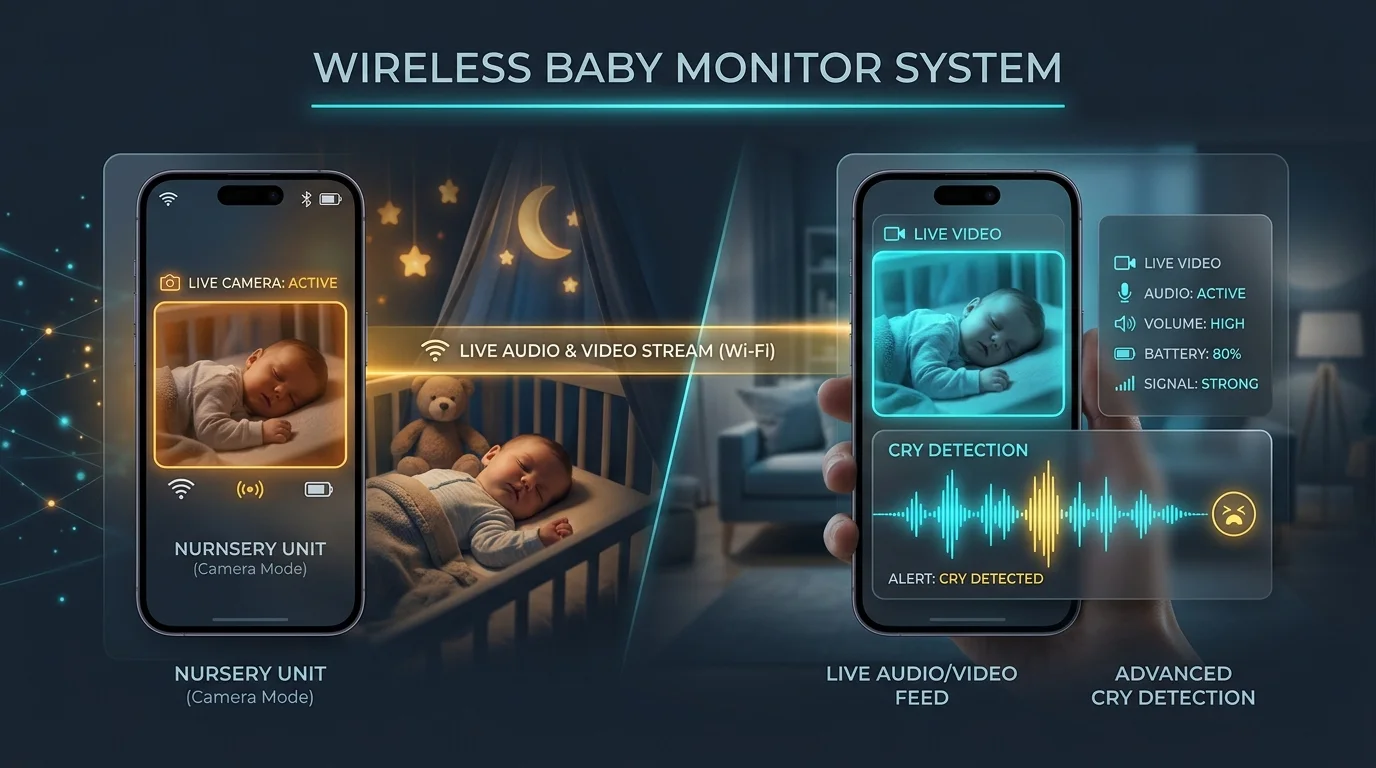
Why Is Bambino Baby Monitor the Ultimate Travel Companion?
Bambino Baby Monitor completely frees traveling parents from luggage bulk and technical headaches. It works seamlessly over Wi-Fi, 4G, 5G, or local hotspots, delivers crystal-clear low-light video, and features built-in lullabies, white noise, and two-way talk. Best of all, it costs zero dollars and requires no recurring cloud subscriptions — turning the devices you already pack into the world's most reliable travel nursery cam.
Baby Wake Windows & Daily Nap Schedule Planner
Generate a precision circadian sleep routine tailored to your baby's exact age stage, wake windows, and morning wake-up time.