When staying at a vacation rental or boutique hotel, visual physical inspections of smoke detectors and alarm clocks are essential. However, modern commercial spy cameras almost always transmit live video feeds over the local Wi-Fi router to allow off-site monitoring.
Executive Summary & Research Finding
How to scan hotel and Airbnb Wi-Fi for hidden IP cameras: learn common video streaming ports (RTSP 554, HTTP 8080), ONVIF discovery, and network safety steps.
Because these devices must communicate over the local area network (LAN), they leave distinct digital footprints. According to IoT security frameworks published by the Cybersecurity and Infrastructure Security Agency (CISA) and protocols on RTSP (Real-Time Streaming Protocol), performing a basic local network sweep will uncover connected cameras in seconds.
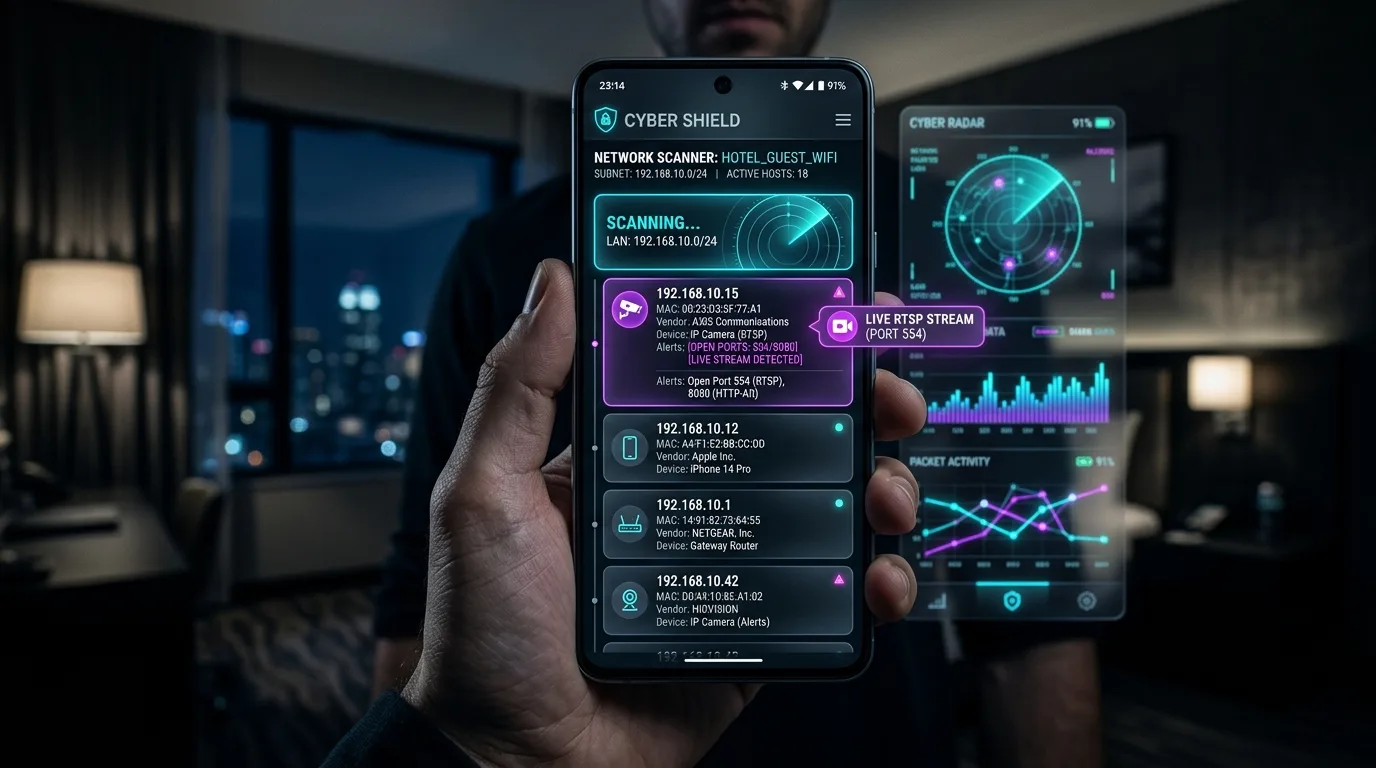
The Network Signatures of Hidden IP Cameras
Every Wi-Fi device connected to a router receives a local IP address (e.g., 192.168.1.45) and broadcasts a 6-byte MAC address that identifies its hardware manufacturer (OUI). Spy cameras frequently listen on specific communication ports:
| Network Port | Protocol / Service | Typical Device Function | Privacy Risk Level |
|---|---|---|---|
| Port 554 | RTSP (Real-Time Streaming) | Standard unencrypted live H.264/H.265 video feed | Critical (Active Video Stream) |
| Port 8000 / 8080 | HTTP Web Server / IP Cam Admin | Web interface for viewing camera lens and controls | Critical (Web Configuration UI) |
| Port 3702 | WS-Discovery (ONVIF) | Automatic discovery protocol for IP security cameras | High (Surveillance Equipment) |
| Port 1935 | RTMP (Flash Streaming) | Live video broadcasting to external cloud servers | High (Cloud Video Feed) |
Step-by-Step Wi-Fi Privacy Sweep Protocol
- Connect to the Guest Wi-Fi: Join the provided vacation rental or hotel guest network on your smartphone.
- Run an ARP Subnet Scan: Discover all IP addresses active on the local subnet (typically 192.168.1.1 to 192.168.1.254).
- Inspect Suspicious MAC Vendor Names: Look for device manufacturers such as Tuya, Espressif, Dahua, Hikvision, Reolink, or Generic Shenzhen IoT modules.
- Check for Open Video Ports: Identify if any unknown IP address is listening on RTSP Port 554.
Guest Network Isolation Note
High-end corporate hotels often use 'Client Isolation' to prevent guests from seeing each other's devices. If client isolation is enabled, complement your network scan with infrared and magnetic field sensors.
Comprehensive Privacy Protection in Your Pocket
With Hidden Camera Detector App, you can scan your local Wi-Fi network for suspicious video streams, detect electromagnetic frequencies from hidden electronics, and use infrared optical filters to spot pinhole lenses in any room.
Hotel & Airbnb Privacy Safety Score Assessment
Complete this interactive 5-point inspection checklist to evaluate your room's surveillance risk index.