Traditional hardware video baby monitors often cost between $150 and $250. Many suffer from clunky handheld screens, terrible battery life, and severe lag. Worse still, cheap internet-connected nursery cameras frequently rely on unsecured cloud servers vulnerable to unauthorized access.
Executive Summary & Research Finding
Turn your spare iPhone or iPad into a secure audio and video baby monitor in 2 minutes. Features real-time video, cry detection, night mode, and local network privacy.
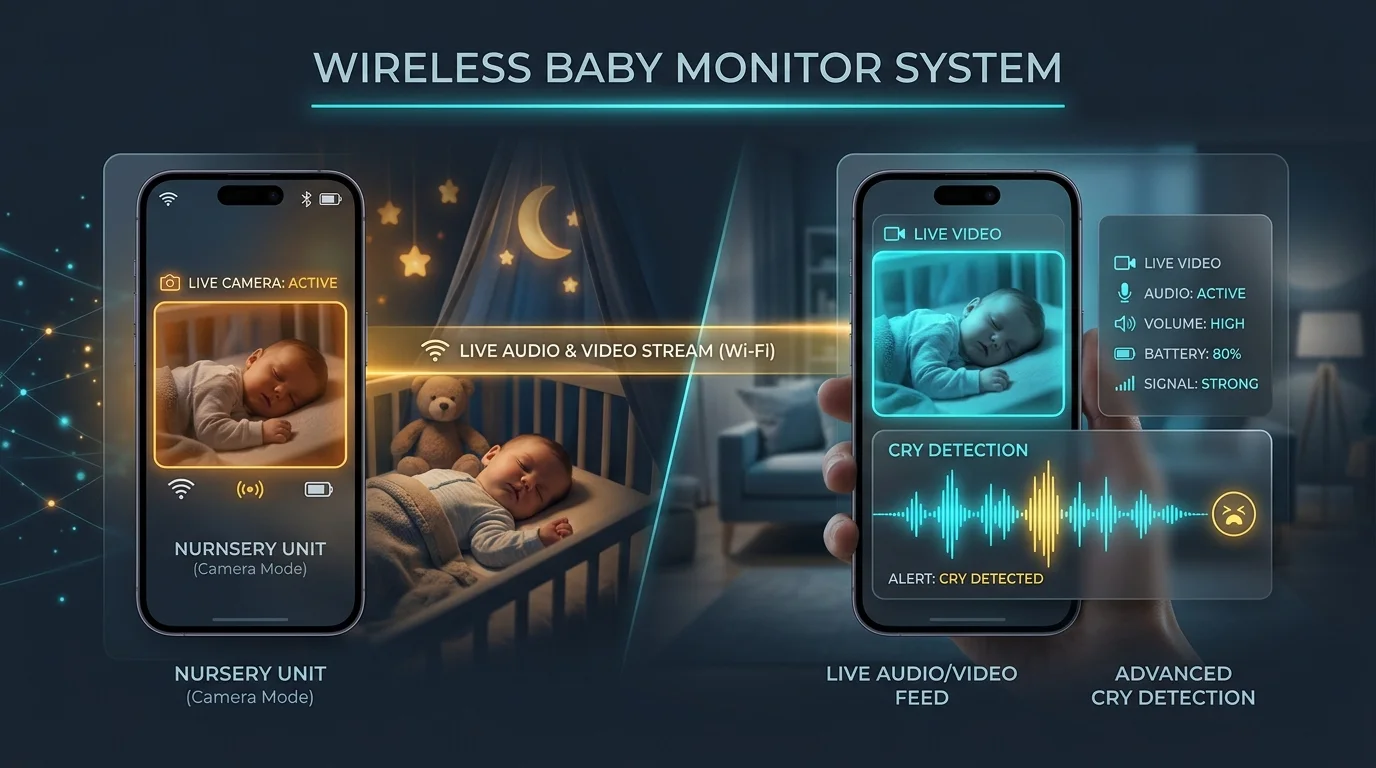
If you have an old iPhone, iPad, or iPod Touch sitting in a drawer, you already own camera sensors, microphones, and Wi-Fi hardware far superior to any standalone commercial nursery monitor. By pairing two devices, you can create an encrypted, zero-lag video and audio monitoring system in less than two minutes.
Why Repurposing a Smartphone Beats Hardware Monitors
Comparing dedicated hardware units against modern smartphone apps reveals dramatic advantages in clarity, reliability, and security:
| Feature | Dedicated Hardware ($180+) | Repurposed Phone App (Free) |
|---|---|---|
| Camera Resolution | Usually 480p or 720p with grainy digital zoom | Full 1080p or 4K Retina sensor clarity |
| Range and Mobility | Limited to 50 - 100 feet through walls | Whole-home coverage across any local Wi-Fi network |
| Audio and Cry Detection | Static buzzing and basic threshold lights | AI noise-filtering and instant push alerts |
| Security and Privacy | Vulnerable default passwords on generic cloud hubs | Local device-to-device encrypted streaming |
| Travel Convenience | Bulky extra chargers and display stands | Fits in your pocket for vacations and visits to grandparents |
Step-by-Step Setup Guide
- Prepare the Nursery Unit (Old Device): Plug the older iPhone or iPad into a stable power source near the crib, positioned roughly 4 to 6 feet away with an unobstructed view. Connect to your home Wi-Fi.
- Set up the Parent Unit (Your Daily Phone or Laptop): Open the mobile app on your smartphone or access the web app from your computer browser. Both devices pair smoothly over your secure home network.
- Adjust Audio Sensitivity and Cry Detection: Configure microphone threshold levels to filter out ambient white noise machines while triggering alerts when your baby cries or stirs.
- Enable Background Audio Mode: Turn on background listening so you can continue using other apps or lock your screen while keeping audio active through your speaker or AirPods.
Crucial Nursery Safety and Privacy Rules
- Safe Cord Placement: Always keep charging cables at least 3 feet away from the crib to prevent entanglement hazards.
- Do Not Disturb and Guided Access: Turn on Do Not Disturb on the nursery unit so incoming calls or notifications do not illuminate the screen or interrupt the video stream.
- Night Lighting: Utilize a soft night-vision filter mode that enhances low-light visibility without disturbing your infant with bright display glare.
Zero Cloud Latency & Zero-Install Web Access
Unlike cloud-dependent commercial cameras that route video through overseas data centers with 5-second delays, direct local connections provide real-time audio and video with less than 100ms latency. You can also view the stream directly from any laptop or desktop using our web app without installing software.
Peace of Mind Without Monthly Subscriptions
Using a purpose-built solution like Baboo: Baby Monitor App delivers instant crystal-clear audio and video, smart cry alerts, two-way talk, and night mode without requiring expensive hardware or hidden monthly fees.
Need to monitor from your work laptop, Mac, PC, or Chromebook? Launch the zero-install Baboo Web Baby Monitor App directly in your browser, or explore guides and features on the official Baboo Baby Monitor website.
Baby Wake Windows & Daily Nap Schedule Planner
Generate a precision circadian sleep routine tailored to your baby's exact age stage, wake windows, and morning wake-up time.