
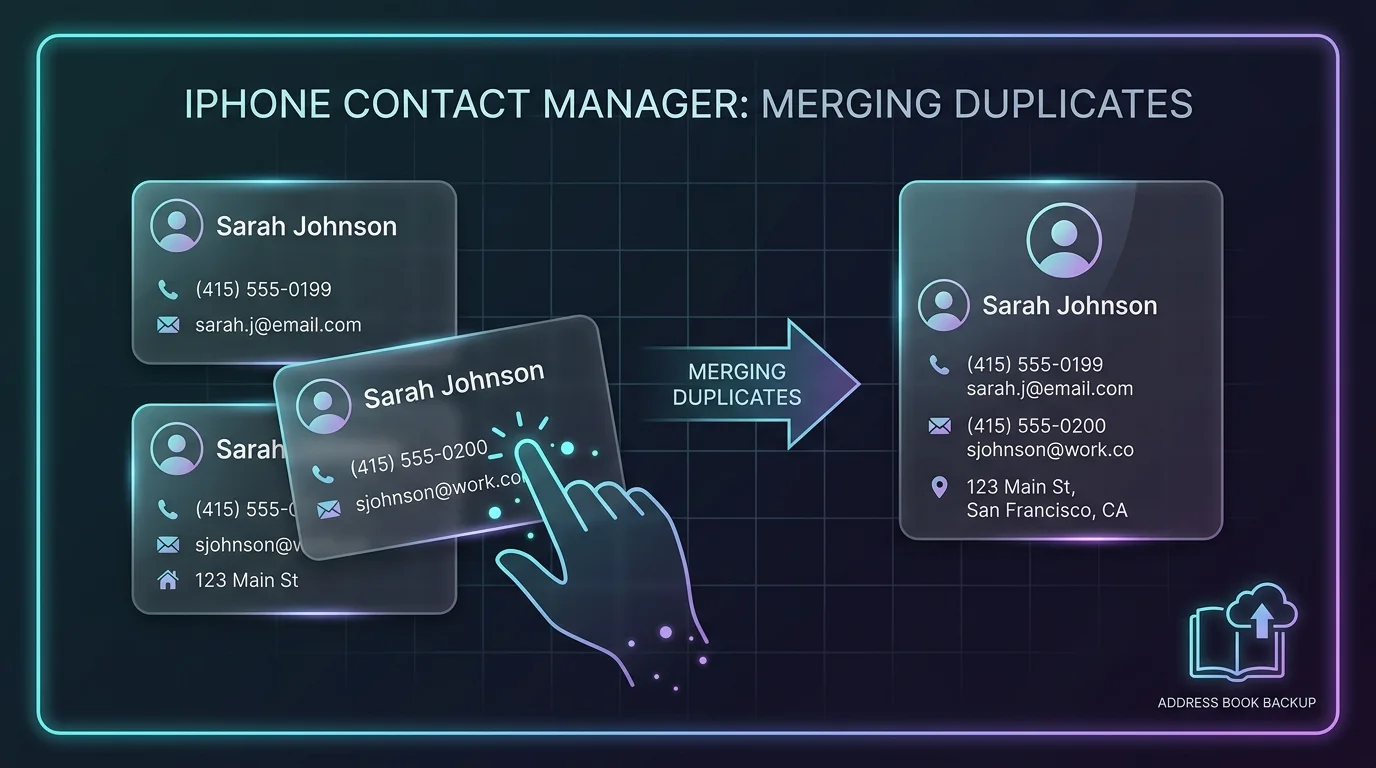
Every time you connect a new work email, sign into Google Workspace, or restore a backup from an old device, your iPhone silently imports hundreds of overlapping contact records. Over time, you end up with five separate entries for the same colleague: one with an old landline, one with a personal Gmail, and three with fragmented phone numbers.
Executive Summary & Research Finding
Address book full of duplicate names and outdated numbers? Learn how to merge multiple contact entries and purge empty records on iPhone safely.
A cluttered address book causes failed messages, accidental calls to obsolete phone numbers, and confusing autocomplete suggestions across Messages and Mail. Cleaning your contacts manually takes hours, but smart batch processing resolves duplicates instantly.
Why Address Books Accumulate Duplicate Clutter
Understanding the source of contact bloat helps prevent future duplicates from appearing:
| Clutter Source | How It Happens | Typical Impact | Fix |
|---|---|---|---|
| Multi-Account Sync | Simultaneously syncing iCloud, Gmail, Exchange, and Yahoo | 3 to 5 duplicate cards per person | Merge into one unified master record |
| Nameless Numbers | Saving raw phone numbers from missed calls or deliveries | 50 to 200 mystery entries | Filter and bulk delete with one tap |
| Empty Records | Sync errors leaving blank cards with no phone or email | Dozens of dead scroll entries | Automatic zero-data purge |
| Outdated Job Roles | Old corporate emails and discontinued office extensions | Failed email deliveries and bounces | Update or archive with card swipes |
The 3-Step Safe Contact Cleanup Process
- Create an Instant Cloud Backup First: Before modifying or merging any data, always export a complete VCF contact backup to iCloud or email. If you ever make a mistake, you can restore your original address book with one tap.
- Execute an AI Duplicate Scan: Let the scanner analyze matching names, identical phone numbers, and matching email addresses across all synced accounts.
- Review and Merge with One Tap: Consolidate matching fields into a single complete contact card while automatically eliminating redundant duplicates.
Smart Card-Swipe Sorting
For questionable contacts (like old contractors or former acquaintances), a card-swipe interface lets you review names one by one: swipe left to remove, swipe right to keep.
Restore a Clean, Organized Address Book Today
With Swipe Contacts Cleaner: Remove Duplicates for iOS, managing your contacts is completely automated. Detect duplicates, delete empty cards, create encrypted backups, and keep your personal phone book organized in seconds.
Instant iPhone Storage & iCloud Savings Calculator
Adjust your photo library size, duplicate estimates, and 4K video count to calculate how many gigabytes you can safely reclaim.

